


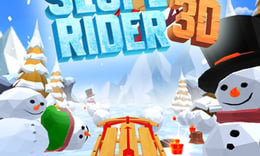


🎮 Slope Rider 3D
⭐ Crazy3D Editor's Pick: Slope Rider 3D challenges players to navigate dynamic 3D slopes while dodging obstacles and collecting rewards. With fast-paced gameplay and environmental effects, it offers an exhilarating experience as you aim for the highest score. It launches in the browser with no installation, while the guide below explains the actual objective and controls before your first serious attempt.
🔎 What Is Slope Rider 3D?
In Slope Rider 3D, players race down endless icy slopes filled with various obstacles like trees, logs, and gaps. The goal is to ride as far as possible without crashing while collecting gift boxes to unlock new sleds. The game features both Normal and Hard modes, with the latter introducing more complex terrains and faster gameplay, enhancing the challenge for players.
Players control their sled using the arrow keys, steering left or right to avoid obstacles and jumping to navigate hazards. The game increases in speed and difficulty over time, requiring quick reflexes and precise movements. Collecting gift boxes is essential for unlocking new sleds, but players must balance the risk of crashing with the desire to gather rewards. The choice between Normal and Hard mode adds variety to the gameplay experience.
This guide describes the hosted AZ Games browser build of Slope Rider 3D. Menus and content may differ in other versions or platforms, so refer to the specific game version for accurate details.
🕹️ Core Gameplay: What You Do in Each Round
- Start the game and choose between Normal or Hard mode based on your skill level.
- Use the arrow keys to steer your sled left or right, avoiding obstacles like trees and cliffs.
- Jump over gaps and hazards by pressing the up arrow key or W to maintain your speed.
- Collect gift boxes scattered along the slopes to unlock new sleds for future runs.
- Aim to ride as far as possible without crashing, improving your score with each attempt.
The first attempt is best used to understand feedback: notice what causes a loss, what creates progress, and which input gives you time for the next decision. Once that loop is clear, improvement becomes much more consistent than simply restarting and pressing faster.
🎯 Controls
| Action | Keyboard, Mouse, or Touch |
|---|---|
| Steer left or right | A/D or left/right Arrow keys |
| Jump | W or up arrow key |
| Pause | On-screen control |
If the title screen shows a different key, follow the in-game prompt. This is especially important for browser ports and local multiplayer games, where the host may package a newer or simplified build.
🏆 Game Modes and Progression
- Normal mode offers a balanced challenge suitable for all players, allowing for a steady increase in difficulty as you progress.
- Hard mode introduces a faster pace and more complex terrains right from the start, providing a significant challenge for experienced players.
- Players can unlock over 20 different sleds by collecting gift boxes, enhancing their gameplay experience and customization options.
Not every mode needs the same strategy. Use practice or solo play to learn a mechanic, then move to competitive or progression modes once the basic inputs no longer require conscious thought.
✨ Key Features
🔹 Endless icy downhill course
Players navigate through an ever-changing landscape filled with obstacles, ensuring no two runs are the same.
🔹 Smooth, enhanced 3D visuals
The game boasts impressive graphics that enhance the immersive experience of racing down slopes.
🔹 20+ unlockable sleds
Collect gift boxes to unlock a variety of sleds, each offering a unique look and feel.
🔹 Increasing speed and difficulty
As players progress, the game becomes faster and more challenging, testing their reflexes and skills.
🧠 Strategy Guide: How to Improve
- Practice steering with precision to avoid crashing into obstacles, as even minor collisions can end your run.
- Focus on collecting gift boxes, but only when it's safe to do so; risking a crash for a single box can be costly.
- Use the jump feature wisely to clear gaps and avoid hazards, especially in Hard mode where obstacles are more frequent.
- Stay alert as the speed increases; maintaining focus is crucial for surviving longer runs.
- Experiment with both Normal and Hard modes to find the gameplay style that suits you best.
Good play usually comes from leaving yourself a second option. Whether that means an escape route, enough energy, a defensive card, a safe lane, or one unused ability depends on the game—but spending every resource on the first opportunity is rarely the strongest choice.
📱 Playing on Desktop and Mobile
Slope Rider 3D is designed for both desktop and mobile play, utilizing simple arrow key controls for steering and jumping. The game can be played in fullscreen mode for an immersive experience, making it accessible across various devices.
Touch support depends on the embedded build. If no virtual controls appear after the game loads, use a desktop browser and keyboard.
❓ Frequently Asked Questions
What are the main controls for Slope Rider 3D?
Players can steer their sled using the A/D keys or left/right arrow keys, and jump using the W key or up arrow key. These controls are essential for navigating the slopes and avoiding obstacles.
How do I unlock new sleds?
To unlock new sleds in Slope Rider 3D, players need to collect gift boxes scattered throughout the game. Accumulating enough boxes will allow you to exchange them for different sleds.
What is the difference between Normal and Hard mode?
Normal mode provides a balanced challenge suitable for all players, while Hard mode increases the speed and complexity of the terrain from the start, making it ideal for those seeking a tougher gameplay experience.


