

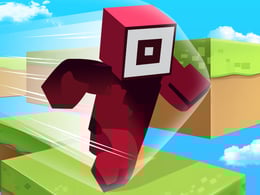


🧱 Roblox Craft Run: The Ultimate Parkour Adventure in a Block World!
Crazy3D Editor's Pick: Roblox Craft Run is a fantastic blend of creativity and action that keeps players on their toes with its unique parkour challenges. The game offers a smooth, no-download experience on Crazy3D.org, allowing gamers to dive right into the blocky world without any hassle. Its dynamic difficulty settings and customization options make each run feel fresh and engaging, ensuring that both new and veteran players find something to enjoy. Whether it's the rush of narrowly escaping a collapsing path or the satisfaction of a perfectly timed build, Roblox Craft Run delivers excitement in spades.
Mix the classic charm of Roblox with the creative world of Minecraft and create wonders on the ever-collapsing block path.
Roblox Craft Run is a highly popular creative parkour game loved by players around the world. It cleverly merges the character style of Roblox with the building elements of Minecraft. Players not only need to control their characters to dash through complex 3D obstacle courses but also need to utilize collected blocks to "build on the fly" at critical moments, crossing bottomless chasms.
This is a triple test of speed, precision, and creativity. In this pixelated world, will you choose to build steadily or leap to surpass your opponents?
✨ Key Features
| Feature Section | Detailed Description | Highlights |
|---|---|---|
| 🛠️ Instant Build System | Collect resources while running and instantly generate platforms in mid-air or at gaps. | Perfect combination of parkour and building |
| 🎨 Classic Block Art Style | Incorporates Voxel modeling to present the familiar "blocky" visual aesthetic. | Low entry barrier, high affinity |
| 🏃 Dynamic Difficulty Tracks | As the running distance increases, the track gradually collapses or moving obstacles appear, testing reflexes. | Intense and thrilling survival pressure |
| 👕 Character Customization | Unlock various classic Roblox skins (such as Noob, Guest, Pro, etc.) and unique block effects. | Rich personalization display |
🎮 How to Play
Survive as long as possible on the continuously advancing track by collecting blocks to fill in road gaps and challenge the highest score record.
- Move: Use the keyboard W / A / S / D or arrow keys.
- Jump: Press the Spacebar.
- Craft/Build: When approaching a gap, the system will automatically consume blocks to build (or manually place by pressing left mouse button depending on the version).
- View Control: Use the mouse to freely rotate the view and observe surrounding traps.
💡 Pro Tips
- Resource Priority: Don’t sprint blindly! Prioritize collecting "resource blocks" on the track. Without blocks, no amount of jumping skill can help you cross long gaps.
- Leave Buffer Space: When facing moving platforms, try to jump towards the center of the platform. The inertia of block characters is strong, and landing on the edge can easily lead to falling off.
- Save Building Materials: Not every small gap requires a bridge. If the distance is sufficient, try using "jumping" to save blocks, reserving precious materials for the upcoming massive chasms.
- Adjust View Height: Slightly raise your view angle so you can see the types of obstacles appearing in the distance (whether they are rotating logs or disappearing platforms), allowing for route planning in advance.
❓ FAQ
Q1: Is this a real Roblox game?
This is a web-based parkour game inspired by the visual style of Roblox. You can directly experience its core fun in your browser without downloading the large Roblox client.
Q2: Why did my blocks suddenly run out?
Each block is a consumable. Please pay attention to the energy bar or block counter at the bottom of the screen. Once it hits zero, you will not be able to automatically generate platforms at gaps.
Q3: How do I unlock more skins?
Unlock character appearances in the store by collecting coins in the game or achieving specific "parkour milestones" (such as running 1000 meters in one go).
Q4: Where can I play this version of Craft Run?
You can directly visit crazy3d.org. This platform offers an optimized version of Roblox Craft Run, supporting fullscreen play and fast loading speeds.
🌐 Start Your Building Journey Now
🎉 The gates to the block world are open! Bring your creativity and courage, and leave your legendary mark on this ever-changing track!


