


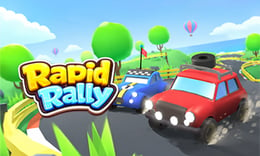


🎮 Rapid Rally
⭐ Crazy3D Editor's Pick: Rapid Rally is a time-attack racing game that emphasizes precision driving over speed. Navigate through winding roads and sharp corners while collecting rewards to unlock new vehicles. Experience the thrill of mastering challenging stages with careful control and timing. It launches in the browser with no installation, while the guide below explains the actual objective and controls before your first serious attempt.
🔎 What Is Rapid Rally?
In Rapid Rally, players engage in an arcade-style racing experience that prioritizes precision driving. The game features various stages filled with winding roads, sharp corners, and unexpected obstacles. The goal is to navigate these challenges successfully while improving driving skills. Each completed stage unlocks new courses that demand greater precision, making it essential for players to adapt and refine their techniques as they progress.
Players control their in-game vehicle using the WASD keys or arrow keys to steer, accelerate, and maintain control. The game encourages careful cornering and steady acceleration to avoid losing momentum. As players navigate through stages, they can collect rewards that unlock new rally vehicles with enhanced performance. Mastering each course requires consistent control, smart timing, and accurate steering to conquer the various driving challenges presented.
This guide describes the hosted version of Rapid Rally on 1Games. Menus and content may vary in other builds or platforms, so players should refer to the specific version they are using for accurate information.
🕹️ Core Gameplay: What You Do in Each Round
- Start by selecting a stage and familiarize yourself with the layout and obstacles.
- Use the WASD keys or arrow keys to steer your vehicle and adjust your speed.
- Focus on careful cornering to maintain momentum and avoid losing control.
- Collect rewards during the race to unlock new vehicles with better performance.
- Complete stages to unlock more challenging courses that test your driving skills.
The first attempt is best used to understand feedback: notice what causes a loss, what creates progress, and which input gives you time for the next decision. Once that loop is clear, improvement becomes much more consistent than simply restarting and pressing faster.
🎯 Controls
| Action | Keyboard, Mouse, or Touch |
|---|---|
| steer | WASD keys or arrow keys |
| accelerate | WASD keys or arrow keys |
| brake | WASD keys or arrow keys |
If the title screen shows a different key, follow the in-game prompt. This is especially important for browser ports and local multiplayer games, where the host may package a newer or simplified build.
🏆 Game Modes and Progression
- Progress through various stages that increase in difficulty, requiring improved driving precision.
- Unlock new rally vehicles by collecting rewards during races, enhancing your performance.
- Repeat challenging courses to learn difficult turns and improve your racing skills.
Not every mode needs the same strategy. Use practice or solo play to learn a mechanic, then move to competitive or progression modes once the basic inputs no longer require conscious thought.
✨ Key Features
🔹 Precision Driving Focus
The game rewards players for careful steering and control rather than just speed, creating a unique racing experience.
🔹 Challenging Stages
Each stage presents different layouts and obstacles, ensuring that players face new challenges as they progress.
🔹 Simple Controls
The game features easy-to-learn controls that support satisfying rally experiences for players of all skill levels.
🔹 Reward System
Collect rewards during races to unlock new vehicles, adding depth and progression to the gameplay.
🧠 Strategy Guide: How to Improve
- Brake Before Corners: Reducing speed early helps maintain control and allows for stronger acceleration out of turns.
- Avoid Sudden Steering: Smooth steering movements keep your vehicle stable and minimize speed loss on winding roads.
- Learn Each Course: Repeating challenging stages helps you memorize difficult turns and react confidently in future attempts.
- Maintain Steady Acceleration: Consistent acceleration is crucial for navigating tricky sections without losing momentum.
- Practice Makes Perfect: Regularly practicing on various stages will improve your overall driving skills and precision.
Good play usually comes from leaving yourself a second option. Whether that means an escape route, enough energy, a defensive card, a safe lane, or one unused ability depends on the game—but spending every resource on the first opportunity is rarely the strongest choice.
📱 Playing on Desktop and Mobile
Rapid Rally is designed for desktop play, utilizing keyboard controls for steering and acceleration. The game can be played in fullscreen mode for an immersive experience, making it ideal for players who enjoy racing games on larger screens.
Touch support depends on the embedded build. If no virtual controls appear after the game loads, use a desktop browser and keyboard.
❓ Frequently Asked Questions
What are the controls for Rapid Rally?
Players can use the WASD keys or arrow keys to steer, accelerate, and brake their vehicle. These controls are designed to provide a smooth and responsive driving experience.
How do I unlock new vehicles?
New rally vehicles can be unlocked by collecting rewards during races. These vehicles offer improved performance, enhancing your racing capabilities.
Can I play Rapid Rally on mobile devices?
The game is primarily designed for desktop play, but players can check compatibility with mobile devices. Controls may vary based on the platform used.


