

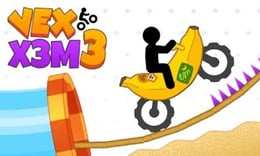


🎮 Vex X3M 3
⭐ Crazy3D Editor's Pick: Vex X3M 3 is a race where momentum is useful only when you can control it. The track mixes jumps, moving traps, collapsing platforms, rotating saws, and unstable ramps, so acceleration and bike lean must be treated as one decision. The reward is not a perfect first run; it is learning a hazard sequence well enough to ride it faster and land cleanly.
🔎 What Is Vex X3M 3?
Vex X3M 3 is a stunt-bike obstacle racer listed by MiniPlay and delivered through a GameDistribution HTML5 frame. MiniPlay records a 23 May 2026 release, keyboard and touch compatibility, and mobile support. Its game description focuses on dangerous obstacle-filled tracks, moving traps, collapsing platforms, sharp jumps, physics-based balance, and increasingly difficult stages. The page also says that riders can perform flips while keeping momentum and that checkpoints make repeated attempts practical.
Menu labels, touch-button placement, and score displays may vary between browser versions. Follow the control legend shown in the game.
🕹️ Core Gameplay: Five Steps of a Run
- Start the track with enough acceleration to clear the first obstacle, but note the approach angle and the landing surface before committing to top speed.
- Lean the bike during jumps and ramps so the wheels meet the next platform. Use the forward or backward tilt to correct rotation rather than holding one direction blindly.
- Read each hazard sequence—moving traps, saws, collapsing platforms, and unstable ramps—and adjust speed before the danger, not after contact.
- When a crash occurs, return to the last checkpoint and change the specific timing or lean that caused the failure. The checkpoint loop is part of learning the track.
- Complete the stage, then replay it for cleaner landings, controlled flips, and a faster route through the sections you now understand.
Vex X3M 3 rewards repeatable lines more than random bravery. A flip can preserve momentum or make a landing worse depending on the next platform. On a new track, prioritize survival and checkpoint discovery; once the hazard rhythm is familiar, shorten braking and attempt a better time.
🎯 Controls
| Action | Keyboard or touch |
|---|---|
| Accelerate / move forward | W or Arrow Up |
| Brake or reverse | S or Arrow Down |
| Lean forward | A or Arrow Left |
| Lean backward | D or Arrow Right |
| Restart at the last checkpoint | Spacebar |
MiniPlay documents keyboard and touch compatibility, while its how-to-play text lists W/Up for acceleration, S/Down for reverse, A/Left for forward lean, D/Right for backward lean, and Space for the last checkpoint after a crash. Touch buttons may use different labels or positions in the GameDistribution wrapper; check them before a timed attempt.
🏆 Modes and Progression
- Obstacle stages: the source describes multiple tracks or stages that increase in complexity and introduce new hazards.
- Checkpoint retries: returning to the last checkpoint after a crash keeps practice focused on the difficult section instead of restarting the whole run.
- Stunt and speed goals: flips, smooth transitions, and speedrunning provide replay reasons beyond simply reaching the finish.
- Gradual hazard learning: rotating saws, moving platforms, collapsing surfaces, and ramps require different combinations of speed and lean.
MiniPlay does not advertise multiplayer, a vehicle shop, or a named championship mode on the current listing. If the embedded frame exposes extra menus, treat them as version-specific and follow its prompts. The confirmed progression is mastering increasingly difficult courses and improving the quality and time of each run.
✨ Key Features
🔹 Momentum-based stunt physics
Acceleration helps clear gaps, but momentum also carries the bike into the landing. The smooth physics described by MiniPlay make timing and body angle as important as raw speed.
🔹 Hazard sequences, not isolated jumps
Moving traps, saws, unstable ramps, and collapsing platforms can appear in succession. Reading the next two obstacles prevents a successful jump from setting up an impossible landing.
🔹 Checkpoint-driven practice
Spacebar recovery to the last checkpoint turns a crash into useful information. Repeat the same section, alter one input, and build a reliable route before chasing a faster completion.
🔹 Keyboard and touch access
The MiniPlay listing marks the game mobile-supported and compatible with keyboard and touch. Desktop keys provide clear simultaneous control, while mobile buttons can make short retries convenient when the hosted layout is visible.
🧠 Practical Tips
- Use moderate speed on your first pass through a new obstacle chain. A surviving checkpoint is more valuable than a spectacular early crash.
- Make small lean corrections in the air. A long hold can rotate the bike past the landing angle before you can recover.
- Brake before a tight ramp or moving trap, not while the front wheel is already entering it. Speed control starts one obstacle earlier than it appears.
- Practice one checkpoint section at a time. Change either acceleration or lean on each retry so you know which input fixed the landing.
- Attempt flips only where the landing has enough room. Style is useful for a clean run, but an uncontrolled rotation costs the entire section.
📱 Desktop and Mobile Experience
MiniPlay marks Vex X3M 3 as compatible with keyboard and touch and confirms mobile support. Desktop is best for precise acceleration, brake, and lean input because the arrow keys or WASD can be combined quickly. A phone or tablet can be convenient for checkpoint retries if the GameDistribution frame exposes clear touch buttons; use landscape orientation when the canvas or controls feel crowded. Fullscreen, stable network access, and the current on-screen control legend are recommended. The direct GameDistribution wrapper can place overlays differently from the MiniPlay catalogue page.
❓ Frequently Asked Questions
Is Vex X3M 3 free to play? MiniPlay presents it as a free browser game, and Crazy3D uses the associated GameDistribution HTML5 frame. No desktop installation is required, though the host may show its own loading or advertising wrapper.
How do I recover after a crash? The source instructions list Spacebar to return to the last checkpoint. On touch, use the visible restart or checkpoint button if the hosted frame provides one.
Does it work on mobile? Yes, MiniPlay marks it mobile-supported and touch-compatible. The touch layout can differ from keyboard controls, so follow the controls shown inside the loaded GameDistribution build.


