

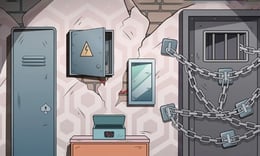


🎮 Cube Stories: Escape
⭐ Crazy3D Editor's Pick: Cube Stories: Escape turns a quiet point-and-click search into a careful escape-room investigation. Its strength is the relationship between ordinary objects, hidden clues, and the unsettling story behind the mansion, so observation matters more than fast reactions.
🔎 What Is Cube Stories: Escape?
Cube Stories: Escape is a single-player horror-tinged point-and-click puzzle adventure published on GameDistribution by Mirra Games. You play as a video blogger who enters a sinister abandoned mansion and becomes trapped among dim rooms, cryptic riddles, and objects that are more important than they first appear. The official GameDistribution listing describes an HTML5/WebGL game in landscape orientation, with the objective of solving the riddles and puzzles in a room before you can get out.
The MiniPlay listing adds practical detail for the hosted browser version: click objects to inspect or move them, use the arrows or the sides of the screen to travel between views, and open the box icon in the lower-left corner to manage collected items. A book, scrap of paper, picture, or small machine can be a clue rather than decoration. The game’s bunny-mask mystery and urban-legend atmosphere provide context, but the next useful action usually comes from studying the room in front of you.
The published listings describe the objective and controls, while menu wording, room order, touch layout, and the exact availability of a puzzle can differ in a hosted build. If the live game shows a different prompt, treat that prompt as authoritative.
🕹️ Core Gameplay: What You Do in Each Round
- Enter the current room or view and scan every visible object before choosing a direction.
- Click or tap suspicious objects to zoom in, move them, read them, or reveal a clue.
- Pick up useful items and open the inventory box so you know what is available.
- Test an item on a matching mechanism, picture, console, lock, or other object when the clue suggests a connection.
- Use the solved clue to open the next area, then repeat the search until the mansion’s escape condition is complete.
The important rhythm is inspect, record, test, and return. A clue found in one view may only make sense after you have seen another object, so revisiting a room is normal rather than a sign that the game has stalled. Inventory items are not just trophies: they are pieces of a chain, and the most efficient move is often to connect two pieces before collecting another unrelated detail.
🎯 Controls
| Action | Keyboard, Mouse, or Touch |
|---|---|
| Select or inspect an object | Left Click or tap |
| Move or manipulate an object | Click and drag when the game shows the interaction |
| Change room view | Click the on-screen arrow or the left/right side of the view |
| Open inventory | Click or tap the box icon |
| Use an inventory item | Select the item, then click the target object |
The published instructions document pointer interaction rather than a keyboard movement scheme. Touch support is listed by MiniPlay, while the GameDistribution page specifies mobile web compatibility. If a particular hosted frame displays a different button, cursor hint, or inventory gesture, follow the visible in-game instruction.
🏆 Game Modes and Progression
- The documented experience is a single-player escape-room route rather than a competitive multiplayer mode.
- Progress is room-based: solving the current set of clues opens the next useful view or mechanism.
- Inventory growth gives the investigation a practical progression path; an item can become meaningful several steps after it is collected.
- Puzzle difficulty is presented as an investigation that becomes more involved, not as a published character-level or upgrade tree.
- There is no reliable source in the listings for a separate score mode, time trial, or selectable difficulty, so do not assume those systems exist in the hosted frame.
The mansion’s story and puzzle chain are the progression. Treat each solved lock or revealed clue as a checkpoint in your understanding, even when the game does not display a formal level number.
✨ Key Features
🔹 Point-and-click investigation
The core interface keeps attention on the room. Clicking, tapping, or moving an object can expose information without requiring a combat system or a long control tutorial.
🔹 Inventory-driven puzzles
Collected objects remain useful because they can be applied to another scene later. The lower-left inventory view makes remembering what you already found part of the challenge.
🔹 Hidden clues in ordinary props
Books, papers, pictures, consoles, and small containers can carry the next step. The game rewards checking an apparently harmless prop before walking away.
🔹 A connected mansion mystery
The trapped video blogger, bunny-mask figure, and urban-legend framing give the rooms a common narrative thread. Solving puzzles changes what the player understands about the place, not only which door opens.
🧠 Strategy Guide: How to Improve
- Sweep a room in a fixed order from left to right, then top to bottom, so a small clickable prop is less likely to disappear from your attention.
- Keep a short note of symbols, colors, numbers, and item locations; relying on memory alone makes a return trip slower.
- Before using an item randomly, ask what visual or written clue gives it a plausible target. Logical matches save time and preserve the story’s intended chain.
- Reopen the inventory after every major discovery. A newly understood item may explain an object you already clicked earlier.
- When stuck, change the question from “What can I open?” to “What have I not examined closely?” Escape-room progress often begins with a second inspection, not a new location.
Good play is patient rather than passive. Keep testing relationships between clues, but stop clicking blindly once the room gives you a readable lead.
📱 Playing on Desktop and Mobile
Desktop is the safest recommendation for a detailed point-and-click scene because a larger screen makes small objects, papers, and inventory icons easier to inspect. The official GameDistribution metadata identifies landscape orientation and mobile web compatibility, and MiniPlay lists mouse, touch, and mobile support. That means a phone or tablet may work, but the exact touch layout can depend on the hosted wrapper.
Use landscape orientation when the frame asks for it, keep the inventory area visible, and tap once rather than repeatedly when a scene is loading. If a click target feels too small or the room text is difficult to read, switch to a desktop browser and continue from the same puzzle state if the build supports it.
❓ Frequently Asked Questions
Is Cube Stories: Escape free to play?
The Crazy3D page is intended to launch the browser version without an app installation. You still need an internet connection for the hosted game files, and the live frame’s loading or advertising behavior may differ from the publisher’s page.
What is the main goal?
Explore the mansion, inspect and collect clues, connect inventory items with the right objects, solve the riddles, and unlock the route out of the room or building.
Does the game use keyboard controls?
The published instructions focus on clicking, tapping, dragging, arrows, and inventory selection. Do not assume WASD is required; follow the controls shown by the loaded game if it exposes an extra shortcut.
🔗 More Games on Crazy3D
- Play Backrooms Escape
- Play Poppy Playtime Chapter 3
- Play Granny Chapter 3 High School
- Browse all new games
- Explore the Crazy3D collection


