

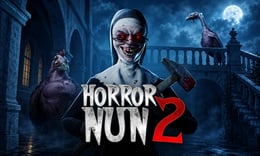


🎮 Horror Nun 2
⭐ Crazy3D Editor's Pick: Horror Nun 2 turns a familiar school into a noisy, dangerous escape route. You must read the building, collect useful objects, solve its locks, and choose when to hide instead of treating every chase like a race. This browser edition may show different controls, so follow the prompt shown after loading.
🔎 What Is Horror Nun 2?
Horror Nun 2 is a survival-horror and puzzle-adventure game set inside a large school. The objective is to explore classrooms, corridors, hidden rooms, and secret passages until you can unlock a route out. Sister Madeline and other monsters make the building unsafe, while noise can reveal your position and turn a careful search into a chase.
The game combines stealth, item collection, environmental clues, puzzle solving, and escape-room pressure. The AZGames description also highlights crafting weapons and traps, which gives the browser version a more active survival loop than a simple walking tour. You are not just looking for a single key: you are learning which objects matter, which routes are safe, and when the school is listening.
This guide follows the current AZGames detail page. The browser version may show a loading or start prompt and its controls can differ, so follow the instructions that appear in the game.
🕹️ Core Gameplay: What You Do in Each Round
- Enter the school and scan the first room for objects, exits, hiding places, and sounds that may signal danger.
- Explore connected rooms, collecting clues and items that point to locks, doors, tools, or hidden routes.
- Solve a puzzle or use an item to open the next area, then remember the safest way back.
- When Sister Madeline or another monster approaches, reduce noise, hide, or break the line of sight instead of running blindly.
- Craft or use a helpful weapon or trap when the game permits it, reach the escape route, and apply the map knowledge to the next attempt.
Use the first attempt to map doors, movement funnels, hiding places, and safe return routes.
🎯 Controls
| Action | Keyboard, Mouse, or Touch |
|---|---|
| Move | W / A / S / D |
| Run | Shift |
| Interact or inspect | Left mouse click |
| Look around | Mouse |
| Pause | In-game menu |
The source description lists keyboard movement, sprinting, and mouse interaction, but the game may show a different prompt. Check the visible control legend before beginning a serious run. If the game area does not load, refresh once and try a desktop browser.
🏆 Game Modes and Progression
- The core experience is a single-player school escape route built from exploration, stealth, and puzzles.
- Rooms and hidden passages create a natural progression: each solved clue gives access to a safer or deeper section.
- Item collection supports both puzzle solving and survival decisions.
- Crafting weapons and traps can provide a defensive option when the game offers those systems.
There is no need to rush every corridor. Progress comes from combining information: an object location, a sound cue, a hiding spot, and a remembered route can be more valuable than a fast sprint. The exact menu labels and available items may differ in a browser port.
✨ Key Features
🔹 A school that rewards observation
Classrooms, corridors, secret rooms, and passages create a space where the useful clue may be away from the locked door. Search deliberately and remember landmarks.
🔹 Stealth tied to sound
The game description warns that Madeline and the monsters can hear you. Noise management changes how you cross the school: sometimes waiting is safer than moving faster.
🔹 Puzzles with practical inventory use
Objects, clues, and collected items are not decoration. They can reveal a code, unlock an area, or combine into a tool that changes your route.
🔹 Crafting and chase pressure
The sequel description includes weapons and traps, but they work best as planned resources rather than permission to fight everything. A defensive tool is most valuable when it buys time to reach a known exit.
🧠 Strategy Guide: How to Improve
- Give every junction a simple name, such as the stair corner or red classroom, so you can navigate back under pressure.
- Inspect an object before leaving a room; visual clues and small items can be easy to miss when a chase is already active.
- Keep a quiet route and a fast route in mind. The quiet route helps with exploration, while the fast route is an emergency option.
- Do not spend a crafted trap at the first scare. Save it for a corridor or doorway where it can create real distance.
- If you fail, change one decision on the next run: a safer search order, a shorter return path, or a better hiding moment is more useful than random speed.
📱 Playing on Desktop and Mobile
Desktop is the safest choice for this edition because mouse look, keyboard movement, and sprint timing matter. A touch layout may appear in some browsers, but it should not be assumed until the game displays virtual controls. Use landscape mode and fullscreen when offered, keep the play area clear, and follow the current in-game labels.
❓ Frequently Asked Questions
Is Horror Nun 2 free to play?
The Crazy3D browser page is intended to launch the HTML5 version without an app installation. Availability depends on the page and your connection.
What is the main goal?
Explore the school, solve item-based puzzles, avoid or outsmart Sister Madeline and other monsters, and reach the escape route.
Is the Crazy3D version identical to every Horror Nun 2 release?
No. The guide follows the current AZGames description and browser edition. Menus, crafting options, controls, and room details may differ, so use the prompts shown after loading.


