

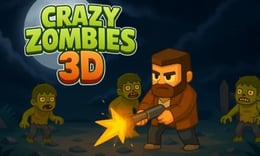


🎮 Crazy Zombies 3D
⭐ Crazy3D Editor's Pick: Crazy Zombies 3D is a fast top-down survival shooter where movement, weapon choice, and route planning matter as much as aim. The town gives you space to reposition, but each wave makes that space feel less safe.
🔎 What Is Crazy Zombies 3D?
Crazy Zombies 3D is a single-player, cartoon-style 3D zombie shooter distributed through GameDistribution. The current MiniPlay listing describes a top-down town map, five zombie types, four bosses, more than ten weapons, power-ups, health packs, and unlockable upgrades. The objective is endurance: survive escalating waves, learn enemy behavior, and keep enough room around your character to respond.
MiniPlay lists the game as released on December 24, 2025, compatible with keyboard and mouse, and not supported on mobile. The live game remains the authority for button labels, weapon availability, and any loading or pause behavior. This guide separates published facts from practical advice and does not invent a level list or a promise of permanent progression.
🕹️ Core Gameplay: What You Do in Each Round
- Enter the town and move through open space while watching where the first zombies approach.
- Aim with the mouse and fire at the nearest dangerous group instead of letting enemies surround you.
- Switch between the available weapons to match distance, crowd size, and the threat on screen.
- Collect power-ups, health packs, and points from safe angles, then use the available upgrades to strengthen the next exchange.
- Keep moving through the next wave, adapt to new zombie types, and prepare for the four boss encounters.
The loop is movement, target priority, weapon choice, recovery, and repositioning. A town is useful because it offers routes and sight lines, not because every obstacle is guaranteed cover. If the screen becomes crowded, create distance first; searching for a perfect pickup while surrounded is usually a losing trade.
🎯 Controls
| Action | Keyboard, Mouse, or Touch |
|---|---|
| Move | WASD or Arrow keys |
| Aim | Mouse movement |
| Fire | Left Mouse Button |
| Switch weapon | Number keys or mouse wheel |
| Collect a pickup | Move over it when the game allows |
MiniPlay documents keyboard and mouse controls and explicitly marks mobile support as unavailable. The listing describes number keys or the mouse wheel for changing weapons, while the hosted frame may show a different prompt or a narrower key range. Follow the in-game prompt if it differs, and do not assume touch controls will appear on a phone.
🏆 Game Modes and Progression
- The verified presentation is a wave-survival route on a town map; no separate multiplayer mode is documented.
- Five zombie types create the main combat progression because each asks for a different response and spacing decision.
- Four bosses act as major tests of movement, weapon selection, and reaction speed.
- More than ten weapons give each run a loadout decision, from rapid-fire options to explosive launchers described in the listing.
- Points and collected resources feed unlockable upgrades, but the exact save rules and upgrade tree should be checked in the live build.
Treat each wave as a lesson. A new weapon is not automatically better: a fast weapon can help with close pressure, while an explosive option may be more useful when several targets overlap. Upgrade after understanding what is killing you, not simply after every reward.
✨ Key Features
🔹 Top-down town arena
The town map makes positioning visible. Open lanes help you kite a group, while tight corners can hide a threat until it is too close. Keep an escape direction in mind before you stop to collect a reward.
🔹 Large weapon roster
The listing confirms over ten weapons. Experiment with their range and crowd control, then keep a dependable option ready for moments when a boss or fast zombie breaks your preferred rhythm.
🔹 Five enemy types
The five zombie types are not just a larger health bar. Watch how each one approaches, how quickly it closes distance, and whether it changes the space you can safely cross.
🔹 Boss and upgrade pressure
Four bosses and unlockable upgrades give the survival loop a clear escalation. Power-ups and health packs can turn a dangerous route into a recovery window, but only if you reach them without abandoning your escape line.
🧠 Strategy Guide: How to Improve
- Move in a wide loop around the town instead of backing into an unknown corner; a predictable route keeps more of the map visible.
- Shoot the fastest or closest threat first when a mixed group forms. Removing one immediate danger is often safer than damaging a distant target.
- Change weapons before you are trapped. Weapon switching is a planning action, not an emergency button you should press after the crowd arrives.
- Treat health packs and power-ups as route markers. Clear a small area, note the pickup, and return when the approach is safer.
- For a boss, learn the attack rhythm before spending every powerful shot. Surviving the pattern gives you more chances to use the right weapon.
Do not confuse movement with panic. Smooth circles, short direction changes, and deliberate crossings preserve aim better than constant random zigzags. If a run fails, identify whether the cause was target priority, a bad weapon swap, or an unsafe pickup route.
📱 Playing on Desktop and Mobile
Desktop is the intended choice for this build. MiniPlay lists keyboard and mouse compatibility and marks mobile support as unavailable, so Crazy3D recommends a desktop browser with a visible mouse pointer and enough screen space for the town map. Keep the browser at a stable zoom, let the GameDistribution frame finish loading, and check the first control prompt before starting a serious run.
If the frame is slow, close other heavy tabs and avoid repeatedly clicking while it initializes. The exact performance depends on the browser and hosted wrapper; a page that loads does not guarantee that a phone will provide a usable control layout.
❓ Frequently Asked Questions
Is Crazy Zombies 3D free to play?
The Crazy3D page launches the browser-hosted version without asking you to install a separate app. You still need an internet connection, and the live frame controls loading or advertising behavior.
How many enemies and bosses are documented?
The MiniPlay description identifies five zombie types and four bosses. Their exact names and attack patterns are best learned in the live game rather than guessed from a generic zombie-game guide.
Can I play on a phone?
MiniPlay marks mobile support as unavailable and lists keyboard plus mouse compatibility. Use a desktop browser unless the live GameDistribution frame explicitly provides a different supported layout.
🔗 More Games on Crazy3D
- Play Undead Invasion
- Play Zombie Defense: Last Stand
- Play Plants vs Zombies War
- Browse all new games
- Explore the Crazy3D collection


