

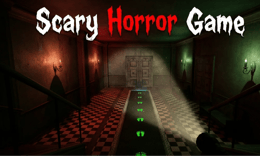


🎮 Scary Horror Game
⭐ Crazy3D Editor's Pick: Scary Horror Game offers two distinct survival goals: solve your way out in Escape mode or stay hidden until rescue in Survive mode. With no weapons, a battery-powered flashlight, and noise that can attract monsters, success comes from careful movement and resource awareness—not from charging into danger.
🔎 What Is Scary Horror Game?
Scary Horror Game is a single-player, first-person survival horror title by Devseesharp. The Playgama listing describes abandoned asylums, haunted forests, and dark mansions, with atmospheric lighting, jump scares, and sound designed to build tension. You explore while trying to avoid creatures, and the game offers two modes that frame survival in different ways.
In Escape mode, you search for keys, solve puzzles, and unlock doors to reach the exit. In Survive mode, the task is to hide and remain alive until rescue arrives. You are not given weapons, so the important tools are stealth, timing, and using the environment sensibly. The listing also notes that batteries power the flashlight, noise draws attention, and monsters become faster as levels progress.
This page covers the Playgama-hosted browser edition. Its interface or control layout may change, so use the prompts inside the embed if they differ from the reference below.
🕹️ Core Gameplay: Explore Without Drawing Attention
- Choose Escape or Survive mode and take a moment to learn the immediate objective.
- Move through the environment while watching for useful objects, keys, doors, hiding places, and routes back to safety.
- In Escape mode, collect keys and solve the puzzles needed to open a route out. In Survive mode, prioritize hiding and staying alive until rescue.
- Manage flashlight use because batteries are limited, and avoid unnecessary noise that can attract monsters.
- Adjust your pace as the levels progress: the listing says monsters get faster, so familiar routes may become more dangerous.
Each run is a balance between gathering enough information to make progress and not spending too long in a risky area. The two modes reward different priorities, but both depend on restraint rather than combat.
🎯 Controls
| Action | PC | Mobile |
|---|---|---|
| Move | W A S D | Left joystick |
| Look around | Mouse | Drag the right side of the screen |
| Toggle flashlight | On-screen button / follow game prompt | Flashlight button |
| Interact with objects | Follow game prompt | Interact button |
| Crouch / hide | Follow game prompt | Crouch button |
The public listing specifies movement and looking controls, plus mobile flashlight, interaction, and crouch buttons. It does not state the exact PC keys for every action, so follow the in-game hints instead of guessing.
🏆 Two Ways to Survive
Escape mode
Find keys, solve puzzles, and unlock doors until you can reach the exit. Being caught ends the attempt, so exploration needs to be purposeful: check the area, remember the route, and avoid lingering when danger is close.
Survive mode
Hide from the creatures and remain alive until rescue arrives. This changes the focus from opening an exit to choosing when and where to stay out of sight.
The listing advertises more than ten levels in each mode and says story fragments unlock along the way. Treat those counts and progression details as features of the current hosted listing; the precise order or presentation may vary in the embed.
✨ What Makes It Stand Out
🔹 No weapons to fall back on
The game explicitly centers wits and stealth rather than combat. You need to use movement, hiding, and route choices to deal with threats.
🔹 Two different survival objectives
Escape asks you to make progress through keys, puzzles, and doors; Survive asks you to last until help arrives. The choice changes what a good decision looks like.
🔹 The flashlight runs on batteries
The flashlight uses batteries, so how and when you use it matters. Light helps you see, but battery awareness is part of the tension.
🔹 Noise can reveal your position
The listing says monsters are drawn to noise. This makes careful movement useful and discourages treating every room like a sprint.
🔹 Threat pressure increases over time
Monsters become faster as levels advance, according to the game page. Routes and hiding strategies that work early may need to be reconsidered later.
🧠 Practical Survival Tips
- Identify the mode's goal first. Do not search for an exit in Survive mode or hide indefinitely when Escape mode requires a key.
- Use the flashlight for a reason. Check dark areas, then conserve battery when you already know the route.
- Move with intent. Since noise attracts attention, avoid unnecessary movement and repeated interactions.
- Keep track of doors and hiding spots. A simple mental map can prevent panicked backtracking.
- Reassess as levels advance. Faster monsters mean you should not assume the same timing will remain safe.
💻 Device and Browser Notes
The game is listed for PC, Android, and iOS, with landscape and portrait orientations. On PC, movement uses WASD and the mouse controls the view. Mobile players use two screen areas for movement and looking, plus contextual buttons. A wider screen can make first-person navigation easier, but choose the orientation that the embedded game requests.
❓ Frequently Asked Questions
Can I fight the monsters?
The listing says you have no weapons; survival relies on stealth and avoiding danger.
What is the difference between Escape and Survive?
Escape focuses on keys, puzzles, and doors leading to an exit. Survive focuses on hiding until rescue.
Does the flashlight have unlimited power?
No. Batteries power it, so use the light thoughtfully and follow the game's resource prompts.
🔗 More Games on Crazy3D
- For another atmospheric escape, try Backrooms Escape.
- For a different first-person horror challenge, explore Horror Playtime Room Escape.
- Browse Poppy Playtime Chapter 3, the Horror Games collection, New Games, or the Crazy3D collection.
▶️ Play Scary Horror Game on Crazy3D
Open Scary Horror Game on Crazy3D and choose the survival objective that suits you.


