

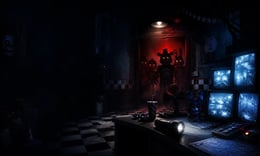


🎮 Five Nights at Freddy's 2
⭐ Crazy3D Editor's Pick: Return to Freddy Fazbear's Pizza for a tense night-watch challenge where cameras, a flashlight, and fast decisions are your only defense against roaming animatronics. It launches in the browser with no installation, while the guide below explains the actual objective and controls before your first serious attempt.
🔎 What Is Five Nights at Freddy's 2?
Five Nights at Freddy's 2 is a browser survival-horror game built around a night watch at a family pizzeria. The office is not safe: threats can approach through the central hall and side vents, while limited information forces you to scan cameras, check danger zones, and react before an animatronic reaches the desk. The Miniplay build keeps the focus on point-and-click observation, quick defensive choices, and escalating pressure across the night cycle.
Each attempt is a compact shift. Monitor the restaurant, identify movement, use the available light or defensive prompt at the right moment, and conserve attention for the places that can change fastest. A strong run comes from a repeatable scan pattern, careful flashlight use, and the discipline to check a warning before it becomes a jumpscare.
This guide describes the browser build embedded from Miniplay on Crazy3D. Browser ports can package menus, key prompts, and timing differently from the original release, so in-game prompts take priority.
🕹️ Core Gameplay: What You Do in Each Round
- Start the night and learn which camera views and entrances matter most.
- Cycle through cameras to locate movement before it reaches the office.
- Check the central hallway and side vents instead of staring at one feed.
- Use the flashlight or defensive prompt only when it gives useful information.
- Repeat the scan-and-react routine until the shift ends, then apply what you learned.
The first attempt is best used to understand feedback: notice what causes a loss, what creates progress, and which input gives you time for the next decision. Once that loop is clear, improvement becomes much more consistent than simply restarting and pressing faster.
🎯 Controls
| Action | Keyboard, Mouse, or Touch |
|---|---|
| Select camera or office action | Mouse click / tap |
| Check with flashlight | In-game flashlight prompt |
| Change feed or close a panel | On-screen control |
| Pause or restart | Esc / in-game button |
If the title screen shows a different key, follow the in-game prompt. This is especially important for browser ports and local multiplayer games, where the host may package a newer or simplified build.
🏆 Game Modes and Progression
- Night progression with increasingly demanding shifts.
- Camera management and route-reading challenge.
- Short browser sessions with quick restarts.
Not every mode needs the same strategy. Use practice or solo play to learn a mechanic, then move to competitive or progression modes once the basic inputs no longer require conscious thought.
✨ Key Features
🔹 Camera-led tension
A small set of security views becomes a changing information puzzle.
🔹 Multiple approach routes
The hall and vents require different checks.
🔹 Resource-aware decisions
Flashlight and defensive actions matter most when timed around information.
🔹 Replayable nights
Every failed shift gives feedback for the next attempt.
🧠 Strategy Guide: How to Improve
- Create a calm camera sweep and repeat it instead of clicking randomly.
- Treat sounds and movement cues as information, not a reason to panic.
- Do not waste the flashlight on a feed that is already clearly safe.
- Learn dangerous routes first and keep an emergency check ready.
- Change one part of your scan order when improving a run.
Good play usually comes from leaving yourself a second option. Whether that means an escape route, enough energy, a defensive card, a safe lane, or one unused ability depends on the game—but spending every resource on the first opportunity is rarely the strongest choice.
📱 Playing on Desktop and Mobile
Desktop is recommended because the browser build uses several small camera and office controls. Mobile players should use landscape mode and tap visible prompts carefully.
Touch support depends on the embedded build. If no virtual controls appear after the game loads, use a desktop browser and keyboard.
❓ Frequently Asked Questions
Is it free to play on Crazy3D?
Yes. The embedded browser version opens without an installation, although an internet connection is required.
What is the main goal?
Survive the active night by monitoring the pizzeria and using defensive prompts before an animatronic reaches the office.
Are controls identical to the original?
Not always. Follow the prompt inside the hosted game if it differs from this guide.
🔗 More Games on Crazy3D
- Five Nights at Freddy's
- Five Nights at Freddy's 3
- Granny
- Poppy Playtime
- Backrooms
- Browse all new games
- Explore the Crazy3D collection


