

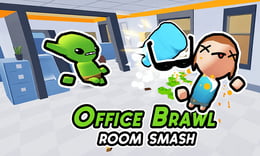


🎮 Office Brawl - Room Smash
⭐ Crazy3D Editor's Pick: Office Brawl - Room Smash turns desks, chairs, plants, and water coolers into a physics-based arsenal. Move through hostile offices, pick the right throwable object, and clear each room without relying on button-mashing alone. It launches in the browser with no installation, while the guide below explains the actual objective and controls before your first serious attempt.
🔎 What Is Office Brawl - Room Smash?
Office Brawl - Room Smash is a playful action arcade game set inside destructible office rooms. Each area contains obstacles, hostile targets, and everyday objects that can become improvised weapons. The goal is to move through the room, pick up a useful object, aim it, and destroy every target before reaching the end of the stage. A green glow marks objects that can be picked up. Clearing a level can also provide extra cash, while later stages add tougher encounters and boss-style moments. Physics makes throws unpredictable, so the office layout is part of the combat problem.
The hosted build combines movement, object selection, and aiming. Use WASD or arrow keys to navigate, touch a highlighted object to pick it up, hold the mouse to aim, and release to throw. Computers, chairs, plant vases, and water coolers each create different visual weight and range, so the nearest object is not always the best one. You can reposition before throwing, use walls and furniture as part of the angle, and destroy movable clutter for extra reward opportunities. The stage is complete when all required targets are cleared, not merely when one enemy is hit.
This guide describes the hosted 1Games/GameDistribution browser build of Office Brawl - Room Smash. Object behavior, room layouts, and boss content may differ in other ports; follow the embedded version's prompts when they disagree.
🕹️ Core Gameplay: What You Do in Each Round
- Enter an office room and scan for enemies, obstacles, and objects marked with a green pickup glow.
- Move into position with WASD or arrow keys, then touch a useful computer, chair, vase, or cooler.
- Hold the mouse button to aim the object toward a target while checking the room for a clear line.
- Release to throw, observe the physics result, and reposition for another object when the first throw is not enough.
- Clear every target, collect the level reward, and prepare for tougher rooms or boss encounters.
The first attempt is best used to understand feedback: notice what causes a loss, what creates progress, and which input gives you time for the next decision. Once that loop is clear, improvement becomes much more consistent than simply restarting and pressing faster.
🎯 Controls
| Action | Keyboard, Mouse, or Touch |
|---|---|
| Move / pick up nearby items | WASD / Arrow Keys / Mouse Drag |
| Aim a held object | Hold Mouse Button |
| Throw | Release Mouse Button |
| Interact with the room | Move into highlighted objects |
If the title screen shows a different key, follow the in-game prompt. This is especially important for browser ports and local multiplayer games, where the host may package a newer or simplified build.
🏆 Game Modes and Progression
- Room progression: Clear one office area at a time while obstacles and hostile encounters become more demanding.
- Environmental combat: Desks and decorations are not just scenery; highlighted objects can be picked up and thrown as weapons.
- Boss encounters: Later progress includes major fights that require more deliberate object choice and positioning.
- Cash rewards: Destroying movable objects and finishing a level can add cash for the hosted progression loop.
Not every mode needs the same strategy. Use practice or solo play to learn a mechanic, then move to competitive or progression modes once the basic inputs no longer require conscious thought.
✨ Key Features
🔹 Everyday-object weapons
Computers, chairs, plant vases, and water coolers turn a familiar office into a changing selection of improvised projectiles.
🔹 Physics-driven throws
Aiming angle, distance, and the object's weight affect the result, so a throw can create a new opening rather than simply deal fixed damage.
🔹 Green pickup feedback
A visible green glow makes usable objects easier to identify while you scan a busy room under pressure.
🔹 Destructible rewards
Breaking movable office clutter can contribute extra cash, giving exploration a purpose beyond rushing toward the next target.
🧠 Strategy Guide: How to Improve
- Scan the whole room before grabbing the first object; a heavier item or better angle may be worth the extra movement.
- Keep distance from a target while aiming so a failed throw does not leave you trapped beside an enemy.
- Use walls and large furniture to control bounce paths when a direct line is blocked.
- Look for the green glow after every throw because the best next projectile may be behind your starting position.
- Break movable clutter when it is safe to do so, but clear immediate threats first if the room is already hostile.
Good play usually comes from leaving yourself a second option. Whether that means an escape route, enough energy, a defensive card, a safe lane, or one unused ability depends on the game—but spending every resource on the first opportunity is rarely the strongest choice.
📱 Playing on Desktop and Mobile
Office Brawl - Room Smash is most comfortable on desktop because movement, mouse dragging, aiming, and release timing are all important. A tablet may support touch dragging if the embedded build exposes it, but the listed hosted controls are keyboard and mouse. Use landscape orientation and fullscreen so room edges, green pickup markers, and throw trajectories remain visible.
Touch support depends on the embedded build. If no virtual controls appear after the game loads, use a desktop browser and keyboard.
❓ Frequently Asked Questions
Which objects can I throw?
The hosted description specifically highlights computers, chairs, plant vases, and water coolers. A green glow indicates that an object can be picked up and used as a projectile.
How do I aim a throw?
Move close to a highlighted item, hold the mouse button to aim, and release to throw. Use the room layout and available distance to choose a safer angle before committing.
Why should I break office furniture?
Destroying movable objects can provide extra cash after a level. It also removes clutter and may reveal a better position or projectile, but immediate hostile targets should take priority when danger is high.


