

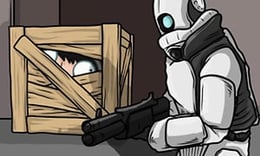


🪑 Hunter and Props — Transform into Furniture and Outsmart Every Hunter
⭐ Crazy3D Editor's Pick: Hunter and Props reimagines the classic game of hide and seek as an environmental observation test. Hiders don't just hide in corners; they directly mimic chairs, boxes, or room decorations. Hunters must remember how the space originally looked and identify the "out-of-place" player among a room full of ordinary objects.
🔎 What is Hunter and Props
Hunter and Props is a first-person 3D Prop Hunt game. Players alternate between two teams: the Props team seeks suitable objects to mimic, using size, angle, and room layout to hide; the Hunters team searches the map with weapons, identifying and eliminating the disguised players under time pressure.
This site features a publicly embedded browser version provided by Miniplay. Miniplay categorizes it as a multiplayer, shooting, and 3D game, clearly stating that players will take turns as hunters or props. The number of players in the room, round time, and available maps may depend on the current hosting server, so please refer to the game lobby and in-game prompts for accurate information.
🕹️ How a Game Round Works
- Enter the Round and Confirm Your Team: At the start, check whether you are a Hunter or a Prop; the objectives for both roles are completely opposite.
- Props Team Chooses Disguise: During the preparation time, observe the room, approach a suitably sized and logically placed object, and use the mimic action to transform into it.
- Adjust Position and Angle: Don’t just complete the transformation; ensure your distance, orientation, and arrangement relative to nearby furniture appear natural.
- Hunters Begin the Search: Once the hunters enter the room, they compare the layout of objects, checking for duplicates, odd angles, and potential moving targets, confirming their judgments with weapons.
- Hold Steady or Clear the Room: The Props team needs to remain hidden until the countdown ends; the Hunters team must identify all disguised players within the time limit.
🎯 Controls
| Action | Default Keyboard / Mouse |
|---|---|
| Move | W A S D |
| Look Around and Aim | Move Mouse |
| Jump | Space |
| Mimic Nearby Object | E |
| Shoot / Confirm Target | Left Mouse Button |
Different hosting versions may adjust key bindings. If the control instructions displayed on the startup screen differ from the table above, please prioritize in-game prompts.
🏆 Two Teams, Two Paths to Victory
🪑 Props: Make Yourself Look “Like You Belong Here”
For the Props team, the key is not to run fast but to choose believable objects. Smaller props can easily fit into complex corners but may expose themselves due to illogical positioning; larger furniture is harder to move but can create a sense of credibility when placed against walls and in neat arrangements. Once disguised, try to minimize unnecessary movement, as even slight shifts can immediately attract a hunter's attention.
🔫 Hunters: Observation is More Reliable than Shooting
Hunters need to treat the map like a "spot the difference" puzzle. Upon entering a room, they should first establish an overall impression, then check the quantity, orientation, and spacing of similar objects. Randomly shooting may waste search time and could incur shooting penalties in the current version, so confirming targets based on evidence is usually more effective than continuous firing.
✨ Core Features Worth Playing
🔹 Realistic Prop Disguise
Players can mimic objects in the room, and different sizes will directly affect hiding strategies. You can hide in cluttered areas or deliberately place yourself in a conspicuous yet logical position.
🔹 First-Person Search Pressure
Hunters have a close-up view of the room, creating blind spots behind corners, under tables, and behind furniture. The clarity of the search route often affects the outcome more than shooting accuracy.
🔹 Learning Through Role Rotation
When you’ve played as a hunter, you’ll know which arrangements are most suspicious; when you’ve experienced being a prop, you’ll understand which angles are easily overlooked by seekers. Both roles continuously provide insights for the next round.
🔹 Every Game is Player-Driven
The map may be the same, but the disguised objects, positions, and search sequences will vary. The real puzzle is not a fixed answer but the choices made by other players in the moment.
🧠 Practical Tips for Beginners
- Look Around Before Transforming: Choosing common objects that have appeared two or three times nearby is more natural than opting for a solitary special prop.
- Fit the Room Logic: Chairs should be near tables, boxes should be against walls or stacked; placing the right object in the wrong position still makes it very noticeable.
- Adjust Orientation: Align your edges parallel to walls, tiles, or adjacent furniture to avoid creating awkward angles.
- Hunters Should Check for Duplicates First: If too many identical props appear in the same small area, it’s usually worth confirming them first.
- Move Your View to Create Parallax: Moving sideways to observe the relative position of objects against the background is easier than standing still and rotating the camera.
📱 PC and Mobile Experience
Keyboard and mouse are best suited for first-person movement, quick aiming, and fine-tuning prop angles, so it's recommended to play in landscape mode on a desktop. The Miniplay page may provide touch buttons for some mobile devices, but the specific touch compatibility may vary by hosting version; if the mobile version lacks a complete control interface, please switch to a desktop browser.
❓ Frequently Asked Questions
Can I Play Hunter and Props for Free?
Yes. Crazy3D loads the browser version through a public embed page, allowing you to start without installation; third-party hosting pages may display loading prompts or ads.
How Does it Differ from Meccha Chameleon?
Both games feature hiders against seekers. Meccha Chameleon allows players to hand-draw body colors for disguise, while Hunter and Props uses classic Prop Hunt rules, letting players directly mimic environmental objects.
Why Might I Be Discovered Even After Transforming?
Hunters assess not just the model but also the number of objects, their placement, orientation, and movement. Choosing a reasonable position and remaining still is just as important as selecting the right prop.
🔗 Related Games on Crazy3D
- Meccha Chameleon: Blend into the Scene with Painting
- Paint Hide & Seek: Lightweight Colorful Hide and Seek
- Horror Nun: Plan Your Escape While Being Chased
- Explore Crazy 3D Games
- Browse the Latest Added Games


