



🎮 Five Nights at Freddy's 3
⭐ Crazy3D Editor's Pick: Work the night shift inside Fazbear's Fright, balance cameras and failing systems, and keep a terrifying threat contained for six increasingly tense nights. It launches in the browser with no installation, while the guide below explains the actual objective and controls before your first serious attempt.
🔎 What Is Five Nights at Freddy's 3?
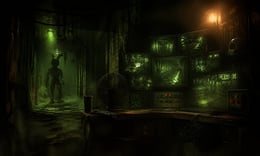
Five Nights at Freddy's 3 moves the series into a horror attraction built around the remains of the old pizzeria. You play a night watchman responsible for keeping the attraction secure before it opens. Instead of relying only on doors, the browser version emphasizes surveillance, camera routing, audio lures, and system repairs. Every action helps you understand where the threat is, but every mistake can make the building's fragile systems less reliable.
A round begins with a control room, camera feeds, and several systems that must remain functional. Locate the threat, use the available audio or camera tools to redirect it, and repair faults before the interface becomes harder to trust. Early shifts teach routes and panel locations; later shifts demand a priority order because cameras, audio, and ventilation can fail close together.
This guide describes the browser build embedded from Miniplay on Crazy3D. The hosted version can differ from downloadable releases in menus and key labels, so use in-game prompts as the final authority.
🕹️ Core Gameplay: What You Do in Each Round
- Begin the shift and scan the attraction to establish the threat's location.
- Move between camera feeds and system panels to keep reliable information.
- Use audio or another on-screen lure when the threat can be redirected.
- Repair camera, audio, or ventilation faults before they cascade.
- Repeat the priority cycle until the night is complete.
The first attempt is best used to understand feedback: notice what causes a loss, what creates progress, and which input gives you time for the next decision. Once that loop is clear, improvement becomes much more consistent than simply restarting and pressing faster.
🎯 Controls
| Action | Keyboard, Mouse, or Touch |
|---|---|
| Select a camera or panel | Mouse click / tap |
| Change camera feed | On-screen camera controls |
| Trigger an audio lure | In-game audio button |
| Repair a system | Click the repair prompt |
| Pause or restart | Esc / in-game button |
If the title screen shows a different key, follow the in-game prompt. This is especially important for browser ports and local multiplayer games, where the host may package a newer or simplified build.
🏆 Game Modes and Progression
- Six-night progression with rising pressure.
- Surveillance management across cameras, audio, and systems.
- Failure recovery that rewards repair priority and route memory.
Not every mode needs the same strategy. Use practice or solo play to learn a mechanic, then move to competitive or progression modes once the basic inputs no longer require conscious thought.
✨ Key Features
🔹 Systems as a puzzle
Cameras, audio, and ventilation are connected problems.
🔹 Progressive tension
Each night makes the same control room less forgiving.
🔹 Containment strategy
Redirect danger while preserving reliable information.
🔹 Compact browser sessions
A night is easy to restart and analyze.
🧠 Strategy Guide: How to Improve
- Establish a repeatable camera-check order in the first minute.
- Repair the system protecting your information first when faults overlap.
- Use audio lures with a clear destination in mind.
- Keep a simple priority order so one warning does not erase every other check.
- After a surprise attack, identify which information you stopped collecting.
Good play usually comes from leaving yourself a second option. Whether that means an escape route, enough energy, a defensive card, a safe lane, or one unused ability depends on the game—but spending every resource on the first opportunity is rarely the strongest choice.
📱 Playing on Desktop and Mobile
A desktop browser is the best fit because the game combines small camera feeds and repair panels. Mobile play is easier in landscape orientation with a stable connection.
Touch support depends on the embedded build. If no virtual controls appear after the game loads, use a desktop browser and keyboard.
❓ Frequently Asked Questions
What makes FNAF 3 different?
The main challenge is maintaining cameras, audio, and ventilation while containing the threat in a horror attraction.
How many nights are there?
The core progression is built around six nights, with each shift increasing pressure and failure frequency.
Can I play without downloading?
Yes. Crazy3D loads the browser version from the embedded Miniplay build.
🔗 More Games on Crazy3D
- Five Nights at Freddy's
- Five Nights at Freddy's 2
- FNaF World
- Granny
- Backrooms
- Browse all new games
- Explore the Crazy3D collection


