

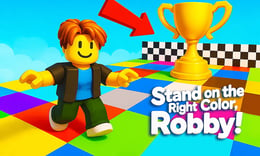


🎮 Stand on the Right Color, Robby!
⭐ Crazy3D Editor's Pick: Stand on the Right Color, Robby! is a fast color-matching survival race. Find the announced tile before the countdown ends, survive the disappearing floor, and spend match rewards on Robby skins and trails. It launches in the browser with no installation, while the guide below explains the actual objective and controls before your first serious attempt.
🔎 What Is Stand on the Right Color, Robby!?
Stand on the Right Color, Robby! places a character in a colorful platform arena with rival players and a simple but unforgiving rule: stand on the announced color before time runs out. Every incorrect tile disappears into the void, eliminating players who chose badly or arrived too late. Survive several rounds, reach the finish zone, and earn coins for cosmetic Robby skins, trails, and other collectibles. The hosted build adds familiar obby movement, camera control, and jumping to a reaction puzzle. The challenge comes from short decision windows, crowded platforms, and the need to route toward a safe tile before the collapse.
A match begins with a countdown and a target color. Read the prompt, move toward a matching platform, and keep your character stable while the other colors vanish. Rival players can block a route, so staying near the center and preserving a jump often creates a safer escape. After each collapse, the survivors move to another round; the match ends when you reach the finish or are eliminated. The mouse controls camera direction, while movement and jumping let you adjust the route. Coins from completed matches support cosmetic progression without changing the core color-survival rule.
This guide describes the hosted 1Games/GameDistribution browser build of Stand on the Right Color, Robby! Match layouts, opponent behavior, and cosmetic rewards may differ in another release, so the embedded prompts remain authoritative.
🕹️ Core Gameplay: What You Do in Each Round
- Join the arena and watch the opening countdown while identifying the current target color.
- Move with WASD or arrow keys toward a matching platform before the timer reaches zero.
- Jump or adjust your route when rival players block the shortest path or the safe platform is distant.
- Stay on the correct tile while every other color collapses and removes eliminated players from the round.
- Survive enough rounds to reach the finish, then collect coins for Robby skins, trails, and cosmetic items.
The first attempt is best used to understand feedback: notice what causes a loss, what creates progress, and which input gives you time for the next decision. Once that loop is clear, improvement becomes much more consistent than simply restarting and pressing faster.
🎯 Controls
| Action | Keyboard, Mouse, or Touch |
|---|---|
| Move | WASD / Arrow Keys |
| Jump | Spacebar / Left Mouse Button |
| Guide character / camera | Hold Right Mouse Button |
| Rotate camera | Mouse movement |
If the title screen shows a different key, follow the in-game prompt. This is especially important for browser ports and local multiplayer games, where the host may package a newer or simplified build.
🏆 Game Modes and Progression
- Color survival rounds: Each round announces one safe color and removes the other tiles after a short countdown.
- Arena race: Surviving players continue moving toward a finish zone while reacting to new color prompts.
- Rival competition: Other players create crowding and route pressure, making the nearest safe tile a strategic decision.
- Cosmetic progression: Match coins unlock Robby skins, colorful trails, and additional collectibles without changing the rule set.
Not every mode needs the same strategy. Use practice or solo play to learn a mechanic, then move to competitive or progression modes once the basic inputs no longer require conscious thought.
✨ Key Features
🔹 Disappearing color floor
The arena changes from a static platform course into a quick elimination puzzle whenever incorrect colors fall away.
🔹 Short reaction windows
A visible countdown forces route selection under pressure instead of allowing unlimited platform exploration.
🔹 Obby movement toolkit
WASD or arrows, jumping, and mouse camera control give you several ways to reach a distant safe tile.
🔹 Robby cosmetics
Coins earned from matches can be exchanged for skins, trails, and other visual collectibles that personalize future runs.
🧠 Strategy Guide: How to Improve
- Stay near the center of the arena when possible so the next target color is reachable in more than one direction.
- Keep the camera slightly downward to read tile colors and nearby gaps without losing sight of your character.
- Jump when a crowd blocks your route, but do not waste every jump before the next color prompt appears.
- Learn recurring platform layouts so you can move toward likely safe positions before the countdown becomes urgent.
- Choose a safe tile with room around you rather than squeezing onto the first matching corner beside several rivals.
Good play usually comes from leaving yourself a second option. Whether that means an escape route, enough energy, a defensive card, a safe lane, or one unused ability depends on the game—but spending every resource on the first opportunity is rarely the strongest choice.
📱 Playing on Desktop and Mobile
The game is easiest on desktop with a keyboard and mouse because movement, camera rotation, and jump timing happen together. Touch controls may be available in the embedded player, but the hosted description confirms keyboard and mouse inputs. Use landscape mode and fullscreen to see the full color arena; keep the camera low enough to distinguish tiles before they collapse.
Touch support depends on the embedded build. If no virtual controls appear after the game loads, use a desktop browser and keyboard.
❓ Frequently Asked Questions
What is the main rule?
A target color appears at the start of a round. Reach and stand on that color before the countdown ends; the other tiles disappear and eliminate players who chose incorrectly.
Can I play with other players?
The hosted description presents rival players in the arena. Their movement can block routes and create pressure, while the exact matchmaking behavior depends on the embedded build.
What do coins unlock?
Completed matches can award coins used for Robby skins, colorful trails, and other cosmetic collectibles. These rewards change appearance rather than the basic survival rule.
🔗 More Games on Crazy3D
- Obby Highest Jump Ever
- escape-from-tsunami-save-dumpling
- obby-chameleon-paint-hide
- Browse all new games
- Explore the Crazy3D collection


