

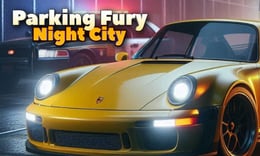


🎮 Parking Fury 3D: Night City
⭐ Crazy3D Editor's Pick: Parking Fury 3D: Night City offers an immersive nighttime driving experience where players navigate a vibrant city filled with challenges. With precise parking missions and open-world exploration, each completed task unlocks new supercars and districts to discover. It launches in the browser with no installation, while the guide below explains the actual objective and controls before your first serious attempt.
🔎 What Is Parking Fury 3D: Night City?
In Parking Fury 3D: Night City, players explore a lively cityscape while completing parking missions. The goal is to navigate busy streets, park accurately within time limits, and unlock new vehicles and areas. The game features a detailed nighttime environment with static obstacles and various districts, each offering unique challenges and missions.
Players control their vehicles using the WASD or arrow keys to drive and the spacebar to brake. The game emphasizes careful navigation through busy streets while avoiding collisions. Each mission requires players to find a designated parking spot and park within a time limit. After completing missions, players can explore new districts and upgrade their vehicles at the garage, enhancing their driving experience.
This guide describes the hosted version of Parking Fury 3D: Night City on 1Games. Menus and content may differ in other builds or platforms, so players should refer to the specific version they are using.
🕹️ Core Gameplay: What You Do in Each Round
- Drive through the city using the WASD or arrow keys to navigate busy streets and avoid obstacles.
- Follow mission markers to locate the highlighted parking destination across the vibrant city.
- Carefully park your vehicle within the designated space, ensuring you do so within three seconds.
- Complete the parking mission to earn rewards and unlock new areas and supercars.
- Visit the garage to upgrade your vehicle's performance or purchase new cars for future missions.
The first attempt is best used to understand feedback: notice what causes a loss, what creates progress, and which input gives you time for the next decision. Once that loop is clear, improvement becomes much more consistent than simply restarting and pressing faster.
🎯 Controls
| Action | Keyboard, Mouse, or Touch |
|---|---|
| Drive | WASD/Arrow Keys |
| Brake | Spacebar |
| On-screen control | Key shown in game |
If the title screen shows a different key, follow the in-game prompt. This is especially important for browser ports and local multiplayer games, where the host may package a newer or simplified build.
🏆 Game Modes and Progression
- Single-player mode allows players to complete missions at their own pace, exploring the city and unlocking new vehicles.
- Mission mode presents a series of parking challenges that players must complete to progress through the game.
- Exploration mode encourages players to freely navigate the city, discovering new districts and parking spots without specific missions.
Not every mode needs the same strategy. Use practice or solo play to learn a mechanic, then move to competitive or progression modes once the basic inputs no longer require conscious thought.
✨ Key Features
🔹 Dynamic city environment
The game features a detailed nighttime city filled with busy streets, static obstacles, and colorful landmarks, enhancing the immersive experience.
🔹 Vehicle upgrades
Players can visit the garage to improve their vehicle's performance or purchase new cars, allowing for customization and enhanced gameplay.
🔹 Parking challenges
Each mission requires players to park accurately within a time limit, adding a layer of difficulty and excitement to the gameplay.
🔹 Open-world exploration
Players can freely explore the city, discovering new parking assignments and hidden areas, making each play session unique.
🧠 Strategy Guide: How to Improve
- Pay attention to mission markers to easily locate your parking destination and avoid getting lost in the city.
- Drive carefully to avoid collisions with other vehicles and obstacles, as this will help you complete missions successfully.
- Practice parking in different locations to improve your skills and ensure you can park within the time limit.
- Explore different districts after completing missions to find new challenges and unlock additional vehicles.
- Regularly visit the garage to upgrade your car's performance, making it easier to complete tougher missions.
Good play usually comes from leaving yourself a second option. Whether that means an escape route, enough energy, a defensive card, a safe lane, or one unused ability depends on the game—but spending every resource on the first opportunity is rarely the strongest choice.
📱 Playing on Desktop and Mobile
Parking Fury 3D: Night City is designed for both desktop and mobile play, with controls that are intuitive and easy to use. Players can enjoy the game in fullscreen mode for an enhanced experience, making it suitable for various devices.
Touch support depends on the embedded build. If no virtual controls appear after the game loads, use a desktop browser and keyboard.
❓ Frequently Asked Questions
What are the main controls for driving?
Players can use the WASD or arrow keys to drive their vehicle and the spacebar to brake. These controls are essential for navigating the city and completing parking missions.
How do I unlock new vehicles?
New vehicles can be unlocked by completing parking missions and exploring different districts within the game. Players can also upgrade their existing vehicles at the garage.
Is there a time limit for parking missions?
Yes, players must park their vehicles within three seconds of reaching the designated parking spot to earn valuable prizes and complete the mission successfully.


