

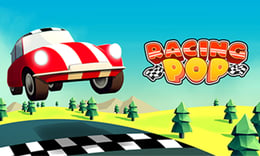


🎮 Racing Pop
⭐ Crazy3D Editor's Pick: Racing Pop combines retro excitement with one-button precision driving, challenging players to navigate over 50 tracks worldwide. With colorful low-poly graphics and demanding corners, every race tests your reflexes and decision-making skills. It launches in the browser with no installation, while the guide below explains the actual objective and controls before your first serious attempt.
🔎 What Is Racing Pop?
In Racing Pop, players race through vibrant locations while mastering the art of one-button driving. The goal is to complete races by controlling speed with precision rather than manual steering. With over 50 tracks and various upgradeable vehicles, players must navigate sharp corners and improve their cars to succeed in increasingly difficult challenges.
Players control their vehicle by holding the left mouse button to accelerate and releasing it before corners to slow down. Automatic steering keeps the car on track, while timing is crucial for smooth turns. Between races, players can upgrade their vehicles in the garage, enhancing performance and handling for tougher tracks. Strategic throttle control is essential for achieving better lap times.
This guide describes the hosted version of Racing Pop on 1Games. Menus and content may vary in other builds or platforms.
🕹️ Core Gameplay: What You Do in Each Round
- Select a race from the available tracks and locations.
- Hold the left mouse button to accelerate your vehicle.
- Release the button before sharp corners to slow down safely.
- Navigate through the course, focusing on timing and precision.
- Upgrade your vehicle in the garage to improve performance for future races.
The first attempt is best used to understand feedback: notice what causes a loss, what creates progress, and which input gives you time for the next decision. Once that loop is clear, improvement becomes much more consistent than simply restarting and pressing faster.
🎯 Controls
| Action | Keyboard, Mouse, or Touch |
|---|---|
| accelerate | left mouse button |
| release | left mouse button |
| steering | automatic steering |
If the title screen shows a different key, follow the in-game prompt. This is especially important for browser ports and local multiplayer games, where the host may package a newer or simplified build.
🏆 Game Modes and Progression
- Single Race Mode allows players to choose any track and compete for the best time.
- Upgrade Mode lets players enhance their vehicles' performance through various upgrades.
- Global Leaderboards display the best lap times, encouraging competition among players worldwide.
Not every mode needs the same strategy. Use practice or solo play to learn a mechanic, then move to competitive or progression modes once the basic inputs no longer require conscious thought.
✨ Key Features
🔹 50+ tracks
Explore a variety of tracks across five scenic locations, each with unique challenges.
🔹 19+ vehicles
Unlock and upgrade a diverse range of racing vehicles to enhance your racing experience.
🔹 realistic physics
Experience realistic physics that challenge your precision driving around sharp corners.
🔹 garage upgrades
Improve your vehicle's performance with upgrades to tires, suspension, brakes, and more.
🧠 Strategy Guide: How to Improve
- Release the accelerator slightly before tight corners for better exits instead of braking late.
- Regularly maintain your vehicle in the garage to improve handling and stability on difficult tracks.
- Focus on timing your acceleration and deceleration to navigate corners smoothly.
- Experiment with different vehicles to find the one that best suits your racing style.
- Practice on various tracks to improve your lap times and master the game mechanics.
Good play usually comes from leaving yourself a second option. Whether that means an escape route, enough energy, a defensive card, a safe lane, or one unused ability depends on the game—but spending every resource on the first opportunity is rarely the strongest choice.
📱 Playing on Desktop and Mobile
Racing Pop is designed for both desktop and mobile play, utilizing simple mouse controls for an accessible experience. The game can be played in fullscreen mode for an immersive racing experience.
Touch support depends on the embedded build. If no virtual controls appear after the game loads, use a desktop browser and keyboard.
❓ Frequently Asked Questions
What is Racing Pop?
Racing Pop is an arcade racing game that emphasizes one-button driving mechanics, allowing players to race on over 50 tracks while managing speed and precision.
How do upgrades work?
Players can upgrade their vehicles in the garage, enhancing various aspects like tires and suspension to improve performance on challenging tracks.
Can I compete with others?
Yes, Racing Pop features global leaderboards where players can compare their lap times with others from around the world.


