

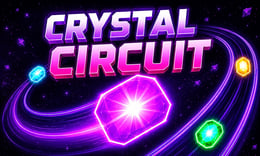


🎮 Crystal Circuit
⭐ Crazy3D Editor's Pick: Crystal Circuit turns every level into a timing puzzle: launch queued crystals through moving gaps without colliding with the growing circuit. Faster tracks, figure-eight routes, and shrinking openings make patient observation as important as quick reactions. It launches in the browser with no installation, while the guide below explains the actual objective and controls before your first serious attempt.
🔎 What Is Crystal Circuit?
Crystal Circuit is a casual arcade puzzle built around a glowing track of crystals. Existing jewels travel continuously around the circuit while a queue waits at the entrance. Your task is to launch each queued crystal through an open gap and keep the circuit moving. A successful launch adds another jewel to the loop; a collision shatters the attempt and resets the stage. The hosted build presents increasingly complex tracks, including faster movement, crowded paths, figure-eight layouts, and intersecting routes. Clearing the full queue completes a level. Repeated attempts can also unlock slower circuit speed, level skips, and collectible crystal skins.
Every decision in Crystal Circuit is a short risk assessment. Watch the moving ring, identify the safest opening, and launch only when the next crystal has enough room to pass. The queue becomes longer as a stage develops, so a gap that looked generous early can become dangerous after several launches. Later layouts overlap paths and reduce reaction time, making visual tracking more important than frantic clicking. If a stage is repeatedly difficult, the hosted build may offer a slower circuit, a level skip, or cosmetic crystal collection. The essential objective remains consistent: send every queued crystal into the orbit without touching another crystal.
This guide describes the hosted 1Games/GameDistribution browser build of Crystal Circuit. Menus, assistance options, and exact track content can differ in another release, so the embedded game's prompts take priority.
🕹️ Core Gameplay: What You Do in Each Round
- Study the moving circuit and watch for a clear gap before committing the next crystal.
- Launch one queued crystal with the mouse, Spacebar, W, or Up Arrow when the opening is aligned.
- Track the new crystal as it joins the orbit and reassess the next available gap.
- Adapt to faster movement, crowded lines, figure-eight tracks, and intersecting paths in later stages.
- Clear the entire queue to finish the level; a collision resets the stage and lets you try again.
The first attempt is best used to understand feedback: notice what causes a loss, what creates progress, and which input gives you time for the next decision. Once that loop is clear, improvement becomes much more consistent than simply restarting and pressing faster.
🎯 Controls
| Action | Keyboard, Mouse, or Touch |
|---|---|
| Launch crystal | Mouse Click / Spacebar / W / Up Arrow |
| Choose a slower circuit or skip | On-screen control |
| Toggle audio | On-screen mute control |
If the title screen shows a different key, follow the in-game prompt. This is especially important for browser ports and local multiplayer games, where the host may package a newer or simplified build.
🏆 Game Modes and Progression
- Stage progression: Complete the queue on each track to move through layouts that become faster and more crowded.
- Advanced layouts: Figure-eight and intersecting circuits create overlapping danger zones and smaller launch windows.
- Assist options: After repeated failures, the hosted build can provide a slower circuit or a level-skip option.
- Crystal collection: Successful play and progression can open cosmetic crystal skins without changing the core timing challenge.
Not every mode needs the same strategy. Use practice or solo play to learn a mechanic, then move to competitive or progression modes once the basic inputs no longer require conscious thought.
✨ Key Features
🔹 Gap-based timing
The central puzzle is reading a moving opening and choosing a launch moment rather than steering a character through a maze.
🔹 Growing circuit pressure
Each successful launch adds another crystal to the orbit, gradually reducing the safe space for the remaining queue.
🔹 Figure-eight danger zones
Later tracks overlap and intersect, forcing players to follow multiple moving paths before pressing the launch input.
🔹 Failure-friendly options
A slower circuit, level skip, crystal skins, and mute control give the hosted version small ways to adjust the experience after mistakes.
🧠 Strategy Guide: How to Improve
- Watch one complete circuit before launching so you understand the speed and direction of the current layout.
- Prefer a wide opening over a rushed launch; the queue is safer when you leave a little margin around each crystal.
- On figure-eight tracks, follow the entrance path first and ignore distant crossings until the next launch window is clear.
- Use a slower-circuit assist after repeated failures to learn the timing pattern instead of clicking randomly.
- Keep your cursor or finger ready near the launch control so the decision is based on timing, not a last-second search.
Good play usually comes from leaving yourself a second option. Whether that means an escape route, enough energy, a defensive card, a safe lane, or one unused ability depends on the game—but spending every resource on the first opportunity is rarely the strongest choice.
📱 Playing on Desktop and Mobile
The hosted game is easiest to read on a desktop or tablet in landscape mode because several moving paths can overlap on screen. Mouse click and keyboard input are confirmed; touch support depends on the embedded player exposing a tap control. Use fullscreen if the crystal gaps are difficult to judge, and follow the controls shown inside the game if the port changes a key.
Touch support depends on the embedded build. If no virtual controls appear after the game loads, use a desktop browser and keyboard.
❓ Frequently Asked Questions
What is the goal in Crystal Circuit?
Launch every queued crystal into the moving circuit without causing a collision. When the queue is empty, the current stage is cleared and the next layout can introduce faster or more crowded paths.
Which controls launch a crystal?
The hosted description lists Mouse Click, Spacebar, W, and Up Arrow. If the embedded player displays a different prompt, use that prompt because browser ports can remap the input.
What happens after a collision?
The crystal shatters and the stage restarts. Repeated failures may unlock a slower circuit or a skip-level option in the hosted build, while crystal skins provide cosmetic progression.
🔗 More Games on Crazy3D
- Sand Loop
- Level Devil
- FireBoy and WaterGirl 2: The Light Temple
- Browse all new games
- Explore the Crazy3D collection


