

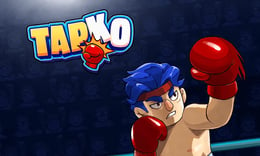


🎮 TapKO
⭐ Crazy3D Editor's Pick: TapKO is a compact boxing challenge where your fighter punches automatically, but you decide when to attack, counter, or block. Read each opponent's cue, protect the health bar, and spend earned stars on targeted upgrades. It launches in the browser with no installation, while the guide below explains the actual objective and controls before your first serious attempt.
🔎 What Is TapKO?
TapKO presents boxing as a sequence of readable reaction moments. Your virtual boxer keeps the basic attack moving, while your mouse input decides how to respond to attack and counter prompts. Health bars keep both fighters' condition visible, and each successful punch earns stars. Those stars can improve Strength, Defence, Health, or Speed, so a short fight also feeds a simple upgrade path. New opponents appear as the boxer advances, giving the same controls different timing problems. The hosted GameDistribution build is a focused single-player browser experience rather than a full simulation with manual footwork.
A TapKO exchange begins by watching the opponent's cue and choosing the matching response. Click during an attack prompt to punch, click at the correct counter moment to reverse pressure, or hold the left mouse button when an incoming attack should be blocked. Automatic punching keeps the fight active, but careless inputs still cost health. After a win, stars can be assigned to damage, defence, health, or attack frequency. The strongest rhythm is to observe first, commit to one clean response, then return to watching the next cue instead of holding the button continuously.
This guide describes the hosted 1Games/GameDistribution browser build of TapKO. The article and controls follow the hosted prompt-based version; another release may use different opponent timing or upgrade balance.
🕹️ Core Gameplay: What You Do in Each Round
- Enter a matchup and watch the opponent's first cue so you can distinguish an attack, counter, or blocking window.
- Click during your attack prompt to land a punch while the automatic boxer keeps the exchange moving.
- Click at the counter cue or hold the left mouse button when the opponent attacks and defence is safer.
- Use the visible health bars to judge whether you should trade damage or wait for a better reaction window.
- Win the matchup, collect stars, upgrade the fighter, and face a new opponent with tighter timing.
The first attempt is best used to understand feedback: notice what causes a loss, what creates progress, and which input gives you time for the next decision. Once that loop is clear, improvement becomes much more consistent than simply restarting and pressing faster.
🎯 Controls
| Action | Keyboard, Mouse, or Touch |
|---|---|
| Punch | Click the opponent during an attack prompt |
| Counter | Click during the correct counter prompt |
| Block | Hold the left mouse button against an attack |
| Upgrade fighter | Click an upgrade option between fights |
If the title screen shows a different key, follow the in-game prompt. This is especially important for browser ports and local multiplayer games, where the host may package a newer or simplified build.
🏆 Game Modes and Progression
- Opponent journey: Advance through a sequence of different fighters whose cues create fresh reaction challenges.
- Reaction exchanges: Attack, counter, and block prompts form the moment-to-moment combat structure rather than free movement around a ring.
- Star upgrades: Spend earned stars on Strength, Defence, Health, or Speed to tune the fighter for later matchups.
- Automatic offence: Your boxer continues punching independently, leaving your input focused on the most important defensive and timing decisions.
Not every mode needs the same strategy. Use practice or solo play to learn a mechanic, then move to competitive or progression modes once the basic inputs no longer require conscious thought.
✨ Key Features
🔹 Cue-based boxing
Clear attack and counter prompts turn each exchange into a timing test where reading the opponent matters as much as clicking quickly.
🔹 Four upgrade paths
Strength, Defence, Health, and Speed let you improve damage, mitigation, survivability, or the frequency of automatic punches.
🔹 Visible fight state
Two health bars show the consequence of each decision and help you decide when to trade, defend, or wait.
🔹 Changing opponents
New fighters keep the simple input loop from becoming identical because their attack cues arrive in different patterns.
🧠 Strategy Guide: How to Improve
- Do not hold the mouse by default; release it after blocking so you are ready to react to the next prompt.
- Watch the opponent's cue before clicking, because a fast but mistimed counter can waste the safest opening.
- Spend early stars on the weakness you notice most: Strength for short fights, Defence when blocks are frequent, or Health for mistakes.
- Use the health bars to change tempo; defend when ahead instead of chasing one unnecessary punch.
- Treat each new opponent as a pattern to learn, not a reason to repeat the same input sequence.
Good play usually comes from leaving yourself a second option. Whether that means an escape route, enough energy, a defensive card, a safe lane, or one unused ability depends on the game—but spending every resource on the first opportunity is rarely the strongest choice.
📱 Playing on Desktop and Mobile
TapKO is best on a desktop or tablet with a precise mouse because punch, counter, and block all use click timing. A touch screen may work if the embedded player maps taps and holds correctly, but the hosted controls are described with a mouse. Landscape mode gives the health bars and prompts more room, and fullscreen can make small cues easier to read.
Touch support depends on the embedded build. If no virtual controls appear after the game loads, use a desktop browser and keyboard.
❓ Frequently Asked Questions
Does the boxer attack automatically?
Yes. The hosted description says the fighter handles ongoing punches automatically, while you influence important moments with clicks for attacks, counters, and blocks.
How do stars work?
Successful punches and wins provide stars that can be spent on Strength, Defence, Health, and Speed. Choose the upgrade that fixes the weakness you are seeing in the current opponent.
What is the safest response to an incoming attack?
Watch for the blocking window and hold the left mouse button while the attack is active. Release afterward and wait for the next cue instead of keeping the button held indefinitely.
🔗 More Games on Crazy3D
- Boxing Gang Stars
- annoying-boss-punch-game
- drunken-boxing
- Browse all new games
- Explore the Crazy3D collection


