


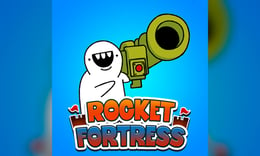


🎮 Rocket Fortress
⭐ Crazy3D Editor's Pick: Rocket Fortress is an engaging clicker RPG where players use holy missiles to combat waves of demons and bosses. Upgrade your arsenal and recruit units to automate attacks, ensuring you can withstand increasingly tough challenges. It launches in the browser with no installation, while the guide below explains the actual objective and controls before your first serious attempt.
🔎 What Is Rocket Fortress?
In Rocket Fortress, players take on the role of a missile-wielding hero tasked with defeating waves of demons and their portals. The objective is to clear stages by launching holy missiles and defeating bosses while upgrading your firepower and army. As players progress, they encounter tougher enemies that require strategic upgrades and better units to overcome. Failure to eliminate all demons before they reach your base results in a stage restart.
The gameplay revolves around tapping or clicking to launch holy missiles at enemies, with each action contributing to damage dealt. Players earn resources like diamonds and coins by defeating foes, which can be spent on upgrades to enhance missile launchers and recruit units. As players advance, they face increasingly difficult bosses and portals that test their upgraded arsenal. If a stage is failed, players can retry with improved upgrades to succeed.
This guide describes the hosted AZ Games browser build of Rocket Fortress. Menus and content may vary in other versions or platforms.
🕹️ Core Gameplay: What You Do in Each Round
- Start by launching basic missiles at incoming demons and portals to deal damage.
- Collect resources from defeated enemies to earn diamonds and coins for upgrades.
- Spend resources to enhance missile launchers and recruit marines for automatic attacks.
- Face tougher waves of demons and bosses as you progress through stages.
- Retry failed stages with upgraded missiles and units to achieve victory.
The first attempt is best used to understand feedback: notice what causes a loss, what creates progress, and which input gives you time for the next decision. Once that loop is clear, improvement becomes much more consistent than simply restarting and pressing faster.
🎯 Controls
| Action | Keyboard, Mouse, or Touch |
|---|---|
| fire | Click the left mouse button |
| fire | Press space |
| Pause / options | On-screen control |
If the title screen shows a different key, follow the in-game prompt. This is especially important for browser ports and local multiplayer games, where the host may package a newer or simplified build.
🏆 Game Modes and Progression
- Progress through multiple stages, each presenting waves of demons and portals that increase in difficulty.
- Engage in boss battles that require strategic upgrades and quick reflexes to defeat.
- Utilize automatic attacks from recruited units to enhance your offensive capabilities.
Not every mode needs the same strategy. Use practice or solo play to learn a mechanic, then move to competitive or progression modes once the basic inputs no longer require conscious thought.
✨ Key Features
🔹 Dynamic clicker gameplay
Players tap or click to fire missiles, making for an engaging and interactive experience.
🔹 Unit recruitment
Players can recruit marines and other units to automate attacks, adding a strategic layer to gameplay.
🔹 Vivid graphics
The game features cartoonish visuals and vibrant graphics that enhance the overall experience.
🔹 Upgrade system
A robust upgrade system allows players to enhance their missiles and units for better performance against tougher enemies.
🧠 Strategy Guide: How to Improve
- Focus on upgrading your missiles early to maximize damage output against waves of demons.
- Recruit marines as soon as possible to automate your attacks and free up your clicks for upgrades.
- Keep an eye on the health of your base; prioritize defeating tougher enemies before they reach it.
- Use resources wisely; invest in upgrades that will provide the most immediate benefit to your gameplay.
- If you fail a stage, analyze what upgrades you need and retry with a stronger arsenal.
Good play usually comes from leaving yourself a second option. Whether that means an escape route, enough energy, a defensive card, a safe lane, or one unused ability depends on the game—but spending every resource on the first opportunity is rarely the strongest choice.
📱 Playing on Desktop and Mobile
Rocket Fortress is designed for both desktop and mobile play, with controls that are intuitive for tapping or clicking. The game can be played in fullscreen mode for an immersive experience, making it accessible on various devices.
Touch support depends on the embedded build. If no virtual controls appear after the game loads, use a desktop browser and keyboard.
❓ Frequently Asked Questions
What is Rocket Fortress?
Rocket Fortress is a clicker RPG where players use holy missiles to fight demons and bosses while upgrading their arsenal and units.
How do I upgrade my missiles?
Players can spend resources earned from defeating enemies to purchase upgrades that enhance missile launchers and damage.
Can I play Rocket Fortress on mobile?
Yes, Rocket Fortress is optimized for mobile play, allowing players to enjoy the game on various devices with touch controls.


