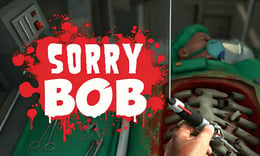


🎮 Sorry Bob
⭐ Crazy3D Editor's Pick: In Sorry Bob, players step into the shoes of a clumsy surgeon, navigating the challenges of performing surgeries with unconventional tools. The game tests your precision and patience as you strive to keep your patient alive while managing the chaos of the operating room. It launches in the browser with no installation, while the guide below explains the actual objective and controls before your first serious attempt.
🔎 What Is Sorry Bob?
Sorry Bob is an operation simulation game where players control a surgeon's hand to perform various medical operations. The goal is to complete surgeries before time runs out or the patient's health depletes. Players must navigate through different operations, environments, and challenges, unlocking new content as they succeed. The game emphasizes the importance of careful hand movements and understanding surgical objectives to ensure patient safety.
Players control each finger of the surgeon's hand individually, making even simple tasks like picking up a scalpel challenging. The game requires players to manage their hand movements carefully, as gripping tools too tightly or moving too quickly can lead to accidents. Each surgery has a clear objective, and players must complete it while keeping the patient's health stable. Success depends on precision, patience, and efficient tool use.
This guide describes the hosted AZ Games browser build of Sorry Bob. Menus and content may differ in other versions or platforms, so players should refer to the specific game version they are using.
🕹️ Core Gameplay: What You Do in Each Round
- Start by selecting a surgical operation to undertake, ensuring you understand the mission objectives before proceeding.
- Control the surgeon's hand using the keyboard and mouse, practicing finger movements to grip tools effectively.
- Carefully pick up surgical tools from the operating table, avoiding excessive force to prevent accidents.
- Perform the surgery while managing the patient's health, using syringes or working efficiently to minimize blood loss.
- Complete the surgery successfully to unlock new operations and challenges, progressing through the game.
The first attempt is best used to understand feedback: notice what causes a loss, what creates progress, and which input gives you time for the next decision. Once that loop is clear, improvement becomes much more consistent than simply restarting and pressing faster.
🎯 Controls
| Action | Keyboard, Mouse, or Touch |
|---|---|
| Control fingers | Space/A/W/E/R/ |
| Lower the hand | Left-click |
| Rotate the wrist | Right-click |
| Hand movement | Mouse |
If the title screen shows a different key, follow the in-game prompt. This is especially important for browser ports and local multiplayer games, where the host may package a newer or simplified build.
🏆 Game Modes and Progression
- Single-player mode allows players to tackle various surgical missions at their own pace, focusing on improving their skills.
- Progression through the game unlocks new operations and environments, providing a sense of achievement as players advance.
- Challenge mode tests players' abilities by introducing time constraints and more complex surgical tasks.
Not every mode needs the same strategy. Use practice or solo play to learn a mechanic, then move to competitive or progression modes once the basic inputs no longer require conscious thought.
✨ Key Features
🔹 Unique hand control mechanics
Players control each finger individually, making the gameplay challenging and engaging as they navigate surgeries with clumsy controls.
🔹 Variety of surgical tools
The game features a range of unconventional tools like scalpels, saws, and syringes, each requiring careful handling during operations.
🔹 Dynamic patient health management
Players must monitor the patient's health throughout the surgery, as injuries can lead to blood loss and mission failure.
🔹 Unlockable content
Completing surgeries successfully unlocks new operations, environments, and challenges, keeping the gameplay fresh and exciting.
🧠 Strategy Guide: How to Improve
- Practice controlling the surgeon's hand to improve your precision and reduce the likelihood of accidents during surgeries.
- Always read the surgical objectives before starting to ensure you understand what needs to be accomplished.
- Use the mouse to guide hand movements slowly and steadily, avoiding rapid motions that can lead to mistakes.
- Be mindful of the patient's health; use syringes wisely to manage blood loss and keep the patient stable.
- Take your time to grip tools carefully; rushing can lead to unnecessary injuries and mission failure.
Good play usually comes from leaving yourself a second option. Whether that means an escape route, enough energy, a defensive card, a safe lane, or one unused ability depends on the game—but spending every resource on the first opportunity is rarely the strongest choice.
📱 Playing on Desktop and Mobile
Sorry Bob is designed for desktop play, utilizing keyboard and mouse controls for precise hand movements. The game can be played in fullscreen mode for an immersive experience, allowing players to focus on the surgical challenges without distractions.
Touch support depends on the embedded build. If no virtual controls appear after the game loads, use a desktop browser and keyboard.
❓ Frequently Asked Questions
What is Sorry Bob?
Sorry Bob is an operation simulation game where players perform surgeries using unconventional tools and clumsy controls, aiming to keep the patient alive.
How do I control the surgeon's hand?
Players control the surgeon's hand using the keyboard and mouse, with specific keys assigned to finger movements and hand actions.
Can I play Sorry Bob on mobile?
Sorry Bob is primarily designed for desktop play, but players can check if a mobile version is available for a similar experience on their devices.