

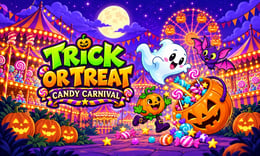


🎮 Trick Or Treat Candy Carnival
⭐ Crazy3D Editor’s Pick: A Halloween carnival does not have to be a chase through the dark. This collection lets you switch between memory, observation, jigsaw puzzles, and quick reactions, with cartoon monsters and candy tying the booths together.
🔎 What is Trick Or Treat Candy Carnival?
Trick Or Treat Candy Carnival is a single-player collection of seven Halloween minigames from Mapi Games. Count Boo and a cast of colorful creatures welcome you to a moonlit fairground. Instead of committing to one long adventure, choose a booth and work on its particular objective: matching pictures, catching sweets, finding a silhouette, or clearing a group.
The menu shows Ghost Bash, Puzzles, Match, Alphabet, Candy Rain, Shadow Match, and Bubble Pop, alongside Collection and Trophies. The mix makes this a useful change of pace from the site's fighting and obstacle games. Its Halloween identity is playful rather than a promise of intense horror.
🕹️ Start with a memory round
- Open the hosted player. Select the game's initial play prompt. Publisher advertisements may appear before menus or activities; wait or use the normal skip button when offered.
- Choose Match. This opens Magic Match, where the menu offers relaxed play through LETS PLAY and a separate CHALLENGE option.
- Reveal two cards. In the tested relaxed board, twelve face-down cards form six pairs. Remember both the picture and its position.
- Keep the matching pictures. A correct pair stays revealed with green check marks. An incorrect pair turns back over, giving useful information for a later turn.
- Continue toward six pairs. Watch the pair counter rather than clicking randomly. Use the in-game navigation to try another activity when you want a different challenge.
🎯 Controls
| Action | Mouse, keyboard, or touch |
|---|---|
| Choose an activity or turn a card | Left click or Tap |
| Move puzzle pieces or the candy basket | Drag |
| Move the basket or menu cursor where supported | Arrow keys or WASD |
| Confirm a selection where supported | Enter or Space |
| Pause where supported | Esc or the on-screen pause button |
These inputs come from the publisher's instructions; mouse selection and card turning were checked in the hosted version. Controls vary between booths, so read each activity's prompt instead of assuming every key does the same thing everywhere.
🏆 Activities and collection
The seven menu choices cover ghost tapping, jigsaw puzzles, memory pairs, spoken alphabet exploration, candy catching, silhouette recognition, and group clearing. The publisher describes 24 jigsaw pictures with 4, 9, 16, or 25 pieces, four unlockable baskets, and a collection of 24 cartoon friends. These are advertised features, not a claim that every puzzle or unlock has been completed in our check.
Magic Match's relaxed option displays “No rush!”, making it a sensible introduction before trying its challenge alternative. A verified pair of Candy Chomp cards advanced the counter to 1/6 and displayed five candies. Other revealed cards included Candy Wizard and Count Boo; those two did not match.
✨ What gives the carnival variety?
A menu of different skills
The booths ask for different kinds of attention. Remembering card positions is not the same task as moving a basket or recognizing a shadow. Changing activities can break up a session without learning an entirely new setting.
Readable memory feedback
Matched cards remain visible, while misses flip back. That means an unsuccessful turn is still useful: it tells you where a particular creature is hiding. Green checks and a pair counter make progress easy to follow.
Adjustable jigsaw size
The advertised piece counts let players choose how much visual detail to manage. Start with fewer pieces to learn the picture, then consider a larger layout rather than treating the biggest puzzle as the only worthwhile option.
A shared candy theme
Candy, baskets, and collectible friends connect the activities. Enjoy those goals at your own pace; don't assume an item unlocks from one particular action unless the current game screen explains it.
🧠 Five practical tips
- In Match, scan rows in a consistent order so card locations are easier to remember.
- After a mismatch, remember the two pictures separately instead of immediately retrying them.
- Check the pair counter to confirm progress; a temporarily revealed card is not necessarily a completed pair.
- Try relaxed play before a challenge when learning a new booth.
- Use the activity's instructions for dragging and tapping. Random clicks may reveal cards but will not help you place a jigsaw piece accurately.
📱 Desktop and mobile play
The publisher lists mouse, keyboard, and touch inputs. The illustrated game uses a portrait layout, which can leave side margins inside a wide desktop player. A larger player or fullscreen can make its cards easier to inspect. Our hands-on check used a desktop cloud browser, not a phone, so mobile behavior has not been independently verified here.
❓ Common questions
Is it free? The browser game is free to start and uses a publisher-hosted player that may show advertisements.
Is this one long game? No. The main menu offers seven activities with different objectives, plus collection and trophy screens.
What was actually checked? Magic Match relaxed play loaded in an iframe using the site's relevant attributes. A matching pair and a mismatch were observed. The other six activities, long sessions, and every unlock were not tested; this was a third-party test page, not a production-site deployment check.
🔗 More on Crazy3D
For another seasonal puzzle, try Boo Chains. Explore Boo Brew, or switch to monster combat in Halloween Fighters. You can also browse New Games and the Crazy3D collection.
▶️ Play Trick Or Treat Candy Carnival
Pick a booth, learn its rhythm, and see how much you can remember. Play Trick Or Treat Candy Carnival on Crazy3D.


