

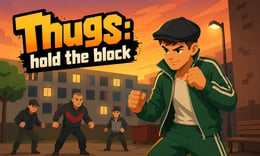


🎮 Thugs: Hold the Block
⭐ Crazy3D Editor's Pick: Thugs: Hold the Block offers a chaotic battlefield where players engage in nonstop brawls to control a central zone. With humorous interactions and character upgrades, every match is unpredictable and fast-paced, making it a thrilling experience. It launches in the browser with no installation, while the guide below explains the actual objective and controls before your first serious attempt.
🔎 What Is Thugs: Hold the Block?
In Thugs: Hold the Block, players control a quirky fighter in a crowded arena, aiming to dominate a designated block while fending off rival gangs. The goal is to hold the block longer than opponents, earning progress and upgrades. The game features short, intense rounds filled with action and competition, where clever positioning and timing are crucial for success.
Players engage in battles by clicking on the main game screen to attack opponents and maintain control of the block. Each second spent in the zone contributes to progress, encouraging aggressive tactics and strategic positioning. As rounds progress, the chaos increases with more rivals vying for control, making it essential to balance offense and defense. Winning requires holding the block longer than all other fighters, emphasizing persistence and skill.
This guide describes the hosted version of Thugs: Hold the Block on 1Games. Menus and content may vary in other builds or platforms.
🕹️ Core Gameplay: What You Do in Each Round
- Enter the battlefield and select your fighter to begin the match.
- Engage in combat by clicking to punch opponents and defend your position.
- Focus on controlling the block while attacking rivals to earn progress.
- Utilize character upgrades to enhance attack power, health, and income.
- Aim to outlast all opponents by holding the block for the longest time.
The first attempt is best used to understand feedback: notice what causes a loss, what creates progress, and which input gives you time for the next decision. Once that loop is clear, improvement becomes much more consistent than simply restarting and pressing faster.
🎯 Controls
| Action | Keyboard, Mouse, or Touch |
|---|---|
| attack | Click on the main game screen |
| movement | On-screen control |
| defense | On-screen control |
If the title screen shows a different key, follow the in-game prompt. This is especially important for browser ports and local multiplayer games, where the host may package a newer or simplified build.
🏆 Game Modes and Progression
- Single Match: Engage in a standalone battle against multiple opponents, focusing on controlling the block.
- Rematch: Quickly jump into another round after a match ends, maintaining the excitement of continuous play.
- Upgrade Mode: Use earned coins to enhance your fighter's abilities, improving your chances in future battles.
Not every mode needs the same strategy. Use practice or solo play to learn a mechanic, then move to competitive or progression modes once the basic inputs no longer require conscious thought.
✨ Key Features
🔹 Character Upgrades
Players can enhance their fighter's attack power, health, and income, allowing for more effective strategies in battles.
🔹 Dynamic Combat
The game features unpredictable interactions and chaotic brawls, keeping players engaged and on their toes.
🔹 Short Rounds
Each match is designed to be quick, encouraging immediate rematches and fast-paced gameplay.
🔹 Cartoon Visuals
The colorful and humorous graphics add to the fun atmosphere, making battles visually appealing.
🧠 Strategy Guide: How to Improve
- Focus on controlling the block rather than chasing opponents to maximize your scoring potential.
- Use small movements to improve your positioning during crowded fights, helping you reclaim the center.
- Continuous punching is more effective than random swings; aim to force opponents outside the block.
- Upgrade your character's attack power early to gain an advantage in battles against rivals.
- Be aware of your surroundings; clever positioning can help you avoid being pushed out of the block.
Good play usually comes from leaving yourself a second option. Whether that means an escape route, enough energy, a defensive card, a safe lane, or one unused ability depends on the game—but spending every resource on the first opportunity is rarely the strongest choice.
📱 Playing on Desktop and Mobile
Thugs: Hold the Block is playable on both desktop and mobile devices. The controls are intuitive, allowing for easy engagement in battles. Fullscreen mode enhances the experience by providing a larger view of the chaotic arena.
Touch support depends on the embedded build. If no virtual controls appear after the game loads, use a desktop browser and keyboard.
❓ Frequently Asked Questions
What is the main objective of Thugs: Hold the Block?
The primary goal is to control the block for as long as possible while fending off rival fighters. Players earn progress for every second spent in the zone.
How do character upgrades work?
Players can enhance their fighter's abilities, such as attack power and health, using coins earned during battles, allowing for improved performance in future matches.
Are there different game modes available?
Yes, players can engage in single matches, rematches, and upgrade modes to enhance their gameplay experience and character abilities.


