

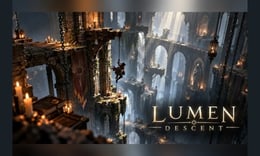


🎮 Lumen Descent
⭐ Crazy3D Editor's Pick: A dark tower gives every landing a little more weight. Lumen Descent pairs an atmospheric setting with a practical challenge: read the next stretch, choose your movement, and keep your inputs deliberate. Start slowly enough to understand where your character will land.
🔎 What is Lumen Descent?
Lumen Descent is a precision platform game presented by SB Game Studio through GameMonetize. The supplier's listing describes a descent through a forgotten tower, with light to carry, obstacles to navigate, and jumps that demand careful timing. Its catalog publication date is October 14, 2026; that date does not establish the game's first release anywhere.
The appeal is the relationship between observation and execution. Before moving, pick a destination you can identify clearly. Then judge whether ordinary movement, a jump, or a dash suits the gap. Learning one short section is a useful goal in itself, especially while you are still getting familiar with the keyboard.
🕹️ How to begin
- Let the game load. Click inside the play area so keyboard input reaches the game. Allow any loading screen or advertisement to finish through its own controls.
- Read the opening area. Notice the current platform, the next landing, and any visible obstruction before leaving a safe position.
- Try basic movement first. Take a short step and release the key. Learn how much space that input covers before combining actions.
- Choose one crossing. Decide where you want to land, then attempt that section with a clear input sequence.
- Reassess after each attempt. If the result differs from your plan, change one part of the sequence rather than pressing everything faster.
🎯 Keyboard controls
The supplier provides the following controls. Our limited desktop check confirmed rightward movement with D, a dash using Shift with D, and the pause overlay with P. The remaining inputs below come from the supplier's instructions, rather than a complete control-by-control test.
| Action | Input |
|---|---|
| Move left or right | A / D or ← / → |
| Jump | Space |
| Dash | Shift |
| Drop down | S + Space |
| Retry | R |
| Pause or resume | P |
If a key appears unresponsive, click the game area again before retrying. Read the current on-screen instructions as well, especially before using drop down near an unfamiliar edge.
🏆 Floors and progress
The supplier advertises 12 floors, hazards, and checkpoints. Those describe the intended adventure, but our play check covered only the opening of Act I, Floor 01, labeled “The Awakening.” We verified movement, dash, and pause there; we did not complete a floor or verify every checkpoint and later obstacle.
Approach progress in small units. Reach a position you understand, inspect the next route, and then commit to a move. When a checkpoint appears, use the game's own feedback to confirm its state. Do not assume progress will persist after closing the page; long-term saving was not checked.
✨ What shapes the challenge?
Reading the landing
A useful plan starts with the destination. Look at the platform you want to reach and the space around it, rather than watching only the character. That makes it easier to decide when to stop holding a direction and when to prepare the next action.
Separating movement and dash
A dash is an additional input to learn, not a reason to abandon basic positioning. Practice a short directional movement first, then compare it with a dash where the visible space permits. Avoid relying on an assumed cooldown, distance, or invulnerability effect; those properties were not established by our check.
Learning from a specific attempt
After a miss, ask a narrow question: did you start too close to the edge, act too early, or keep moving too long? Treat those as possibilities to test, not guaranteed explanations. Changing one input at a time makes your next attempt more informative.
🧠 Five practical tips
- Keep the next landing in view. Identify it before starting a crossing.
- Build a repeatable rhythm. Use deliberate presses instead of a burst of unrelated keys.
- Practice one variable. Adjust timing or direction separately so you can see what helped.
- Pause when you need a break. The opening desktop test displayed the pause menu with
P. - Read retry prompts carefully. Follow the game's feedback instead of assuming exactly where a retry will return you.
💻 Desktop and mobile play
Desktop with a keyboard is the recommended starting point. The supplier lists a 1280 × 720 playfield and marks the game as not mobile-ready, while its written instructions also mention touch controls. Those statements conflict, and we have not verified phone or tablet play.
Our check used the direct game URL on desktop. It did not verify the Crazy3D embedded player or every browser configuration. If the game does not respond, first check that the playfield has focus and that a loading screen or menu is not still active. No advertisement appeared in the checked opening session, but that is not an ad-free guarantee.
❓ Frequently asked questions
What kind of game is it?
An atmospheric precision platformer about navigating a tower with movement, jumps, and dashes.
Are all 12 floors tested?
No. Twelve floors is a supplier-listed feature; our check covered only opening movement, dash, and pause.
Can I play on a phone?
Mobile support is unresolved because the supplier's compatibility flag and touch instructions disagree. Use a desktop keyboard for now.
Is it free to start?
The supplier offers it as a free browser game. Advertisements may still appear during play or loading.
🔗 More games on Crazy3D
Try Geometry Rush, Chained Together: Co-Op Parkour, or Fireboy and Watergirl 4: The Crystal Temple. Browse New Games and the Crazy3D collection for more choices.
▶️ Play Lumen Descent
Study the next landing, make one deliberate move, and play Lumen Descent on Crazy3D.


