





🎮 FRAGEN
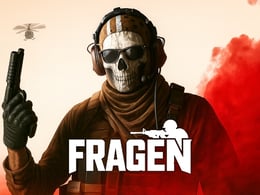
FRAGEN is a browser first-person shooter from LUCKY TRY. Its appeal is the way a change of rules reshapes familiar shooting skills: supporting a team, advancing through weapons, or working with a restricted arsenal each asks for a different approach.
What is
You enter online matches, move around combat maps and use weapons to defeat opponents. Positioning matters alongside aim: an exposed route can leave you vulnerable even when you have the right gun. Choose a mode first, then build your approach around its objective rather than treating every encounter as an isolated duel.
The developer describes desktop and mobile cross-platform play, weapon customization and progression rewards. This page uses the GameDistribution browser release. Menus and available options may differ from other editions, so follow the controls and mode choices shown by the hosted game. The advice below is tactical guidance, not a claim that this release has been fully play-tested.
How a session works
- Open the game and examine the available match and mode choices. Select a solo or team option where offered, then check what counts toward victory before entering.
- Choose a weapon suited to the mode and the distance you expect to fight at. A restricted-weapon mode changes that choice; do not plan around a gun the rules exclude.
- Move between cover and check nearby routes before crossing an open area. Keep your view near likely threats so your first reaction can be a small correction rather than a large turn.
- Engage opponents while preserving a route back to safety. Reload behind protection and switch weapons when the situation or the mode requires it.
- Review the result and adjust one part of your approach for the next match. Try a different route, sensitivity setting or distance instead of changing everything at once.
Controls
| Action | Input |
|---|---|
| Move | Use the movement bindings shown in the game |
| Aim | Mouse on desktop |
| Fire, reload, switch weapons | Use the corresponding in-game bindings |
| Mobile movement and combat | On-screen movement, aim and fire controls |
The developer confirms these actions but does not specify every desktop key on its game page. Check the hosted build's control screen rather than assuming another FPS's key layout. Click inside the game area when it needs focus.
Modes and progression
Four modes are documented: Team Deathmatch rewards team eliminations; Gun Race advances players through a sequence of weapons; Sniper Only emphasizes long-range engagements; Secondary Only restricts combat to secondary weapons. Choose from what the current game menu offers.
Weapon customization, daily rewards and a battle pass are described by the developer. Inspect their current requirements in the game; this guide does not promise a particular reward or unlock schedule. Bomb Defusal and Hide and Seek are possible future additions, not currently available modes.
What makes it different
Rules change your priorities
Gun Race asks you to adapt as your weapon changes. Success with one firing rhythm does not remove the need to reassess range and positioning with the next weapon.
Restricted arsenals
Sniper Only and Secondary Only create different problems from unrestricted shooting. Cover, exposure time and the distance between players become useful things to evaluate before committing.
Team positioning
In a team match, watching a route an ally cannot see can be more useful than crowding the same corner. Coordinate movement without assuming teammates will cover every opening.
Browser access across devices
The developer supports both desktop and mobile browsers. Input methods differ, so tune the experience for your own screen and controls instead of copying another player's settings blindly.
Practical tips
- Choose cover before firing. A nearby obstacle gives you somewhere to reload or disengage when a duel becomes unfavorable.
- Keep the crosshair near the next likely threat. This reduces the distance you need to move the mouse after spotting an opponent.
- Reload when protected, rather than automatically after every shot. Emptying a magazine in the open can make the next encounter harder.
- In Gun Race, reassess the weapon after each change. A route that suited the previous gun may expose the next one at an awkward distance.
- Change sensitivity in small steps and compare several encounters. A stable setting makes practice more useful than constantly switching configurations.
Desktop and mobile
A keyboard and mouse provide separate movement and aiming inputs on desktop. Mobile uses on-screen controls; leave enough room for both movement and aiming fingers and use the game's own layout options where available. Fullscreen can make distant details easier to see. If performance is uneven, inspect the available graphics settings before starting another match. Connection and device performance can affect online play.
Questions
Is it free? You can open the browser game from Crazy3D without buying a download. The provider may present advertisements or its own optional offers.
Are all modes interchangeable? No. Their weapon restrictions and scoring goals require different decisions; read the current objective before playing.
Does this include future modes? No. The developer's planned Bomb Defusal and Hide and Seek modes are not presented here as released features.


