

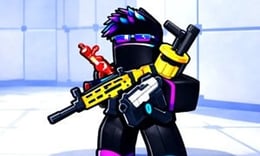


🎮 Rivals FPS: Online Shooter
⭐ Crazy3D Editor's Pick: Rivals FPS: Online Shooter immerses players in fast-paced combat where strategy and reflexes are key. Team up with friends or compete against global rivals in vibrant arenas, all while upgrading your arsenal and climbing the leaderboard. It launches in the browser with no installation, while the guide below explains the actual objective and controls before your first serious attempt.
🔎 What Is Rivals FPS: Online Shooter?
In Rivals FPS: Online Shooter, players enter a dynamic combat zone filled with frenetic action. The goal is to outsmart opponents and secure victories in various colorful arenas. Players can form squads or engage in solo battles, facing challenges that test their shooting skills and strategic thinking. With a focus on multiplayer gameplay, the game offers a visually stunning experience that keeps players engaged.
Players navigate through diverse maps, utilizing cover and strategic positioning to gain an advantage. The game features real-time weapon switching, allowing players to adapt their play style based on combat needs. Players can interact with objects on the map for tactical benefits, and reloading at opportune moments is crucial for survival. The combination of precise controls and vibrant environments ensures that each battle is unique and engaging.
This guide describes the hosted version of Rivals FPS: Online Shooter on Miniplay. Menus and content may vary in other versions of the game, so refer to the specific platform for accurate details.
🕹️ Core Gameplay: What You Do in Each Round
- Enter the game and choose to join an existing match or create your own custom map.
- Coordinate with teammates to plan attacks and utilize strategic maneuvers.
- Engage in combat, using cover and switching weapons as needed to adapt to the situation.
- Interact with map objects to gain tactical advantages or open new routes.
- Reload your weapon at safe moments to ensure you're prepared for the next encounter.
The first attempt is best used to understand feedback: notice what causes a loss, what creates progress, and which input gives you time for the next decision. Once that loop is clear, improvement becomes much more consistent than simply restarting and pressing faster.
🎯 Controls
| Action | Keyboard, Mouse, or Touch |
|---|---|
| move | WASD keys or on-screen control |
| shoot | Left mouse button or on-screen control |
| reload | R key or on-screen control |
If the title screen shows a different key, follow the in-game prompt. This is especially important for browser ports and local multiplayer games, where the host may package a newer or simplified build.
🏆 Game Modes and Progression
- Multiplayer mode allows players to team up with friends or face off against global competitors in real-time battles.
- Custom map creation enables players to dictate the rules and design their own unique combat scenarios.
- Dynamic arenas provide varied environments that encourage both flanking strategies and direct confrontations.
Not every mode needs the same strategy. Use practice or solo play to learn a mechanic, then move to competitive or progression modes once the basic inputs no longer require conscious thought.
✨ Key Features
🔹 Real-time multiplayer
Connect with friends and players worldwide for intense battles, enhancing the competitive experience and fostering teamwork.
🔹 Diverse scenarios
Maps are designed to promote strategic gameplay, allowing for both flanking maneuvers and head-on confrontations.
🔹 Fluid controls
Experience precise shooting mechanics that enhance the first-person shooter experience, making every encounter thrilling.
🔹 Colorful visuals
Enjoy a modern and vibrant art style that makes the gameplay visually appealing and engaging for players.
🧠 Strategy Guide: How to Improve
- Coordinate with your team to launch synchronized attacks, as teamwork often leads to victory over isolated players.
- Use the E key to interact with map objects that can provide tactical advantages or new pathways during combat.
- Reload your weapon after each confrontation to avoid running out of bullets during critical moments.
- Take advantage of cover to plan your next move and avoid unnecessary damage from enemy fire.
- Adapt your weapon choices in real time based on the combat situation to maximize your effectiveness in battles.
Good play usually comes from leaving yourself a second option. Whether that means an escape route, enough energy, a defensive card, a safe lane, or one unused ability depends on the game—but spending every resource on the first opportunity is rarely the strongest choice.
📱 Playing on Desktop and Mobile
Rivals FPS: Online Shooter can be played on both desktop and mobile devices through a browser. The controls are intuitive, allowing for a seamless experience whether you are using a keyboard or touch inputs. Fullscreen mode enhances the visual experience, making the action more immersive.
Touch support depends on the embedded build. If no virtual controls appear after the game loads, use a desktop browser and keyboard.
❓ Frequently Asked Questions
Is Rivals FPS: Online Shooter free to play?
Yes, Rivals FPS: Online Shooter is completely free to play from your browser, whether on a computer or mobile device.
Can I play with friends?
Absolutely! You can form squads with friends and coordinate your attacks in real-time for a more strategic gameplay experience.
What are the system requirements?
Since Rivals FPS: Online Shooter is a browser game, it requires a stable internet connection and a modern web browser to ensure optimal performance.


