

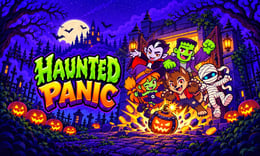


🎃 Haunted Panic
Haunted Panic puts a Halloween twist on quick-target arcade play: twelve doors need attention, but not every visitor should be hit. Decide whether to tap, wait, or check another door group. A steady scanning routine matters more than clicking everything that moves.
🔎 What is Haunted Panic?
Haunted Panic is a browser action game by Mapi Games, distributed through GameMonetize. You watch a haunted building’s doors, respond to hostile monsters, and leave friendly ghosts alone. The setting is spooky, while the core interaction stays focused on recognizing targets and acting at the right moment.
The supplier lists the game on October 20, 2026. That establishes a recent listing, not a popularity ranking. The opening night is called “Graveyard Shift.” Our browser session reached that stage and showed score, coins, and protected-counter progress.
🕹️ How a session works
- Click or tap the initial screen, select Play, and let any publisher pre-roll finish. The observed advertisement belonged to the hosted player; no advertisement click was needed to continue.
- Read the tutorial and choose “Let’s Go” to enter Night 1. First locate the visible doors and the on-screen page arrows.
- Inspect visitors before acting. Target hostile monsters and spare friendly ghosts, following the game’s own visual instructions.
- Use the on-screen arrows to change door groups. In testing, the right arrow changed the display from doors 1–4 to doors 5–8.
- Keep checking the night’s counters and remaining resources. Follow the in-game result screen when the attempt ends, rather than assuming every encounter or night uses identical requirements.
🎯 Controls
| Action | Mouse or touch input |
|---|---|
| Start and confirm menus | Click the displayed button; the supplier also lists Tap |
| Select a visible target | Left click its position; follow touch prompts on supported devices |
| Change the visible door group | Click the on-screen arrow buttons |
| Open a chest | Supplier instruction: Click / tap five times |
| Use a pumpkin blast | Select the displayed pumpkin control when available |
The arrows above are interface buttons, not a verified keyboard-arrow shortcut. Mouse interaction and door-page switching were observed on desktop. Use the current tutorial if the hosted build changes its prompts; no controller or keyboard layout was verified.
🏆 Nights and progression
The supplier describes six worlds and 24 nights. Treat those totals as the publisher’s campaign description, not as a claim that every stage has been played or checked here. Our test covered the opening night, where a live state showed 50 points, 24 coins, a 2/12 protected counter, and two hearts.
Those numbers record one moment, not starting rewards or guaranteed outcomes. Coins and hearts are visible interface elements, but we did not verify a shop, upgrade tree, save system, or account progression. This guide therefore makes no promises about purchases or persistent unlocks.
✨ Four mechanics that shape your decisions
Twelve doors, viewed in groups
The threat area is wider than the currently visible group. Moving between pages is part of play, so staring at one busy door can distract you from the rest. Learn the arrow locations before trying to accelerate your reactions.
Friendly and hostile visitors
The supplier explicitly distinguishes friendly ghosts from monsters. Recognition comes before speed: establish what the tutorial shows as a safe visitor, then click deliberately. A Halloween appearance alone is not a reason to hit a target.
Chests need repeated attention
According to the supplier, opening a chest requires five taps. That is a different commitment from a single target click. Before starting a chest interaction, check the other visible doors so repeated input does not consume all your attention.
Pumpkin blasts are limited
The supplier presents pumpkin bombs as a limited resource. Consider them a reserve rather than a button to press automatically. Follow the live interface for availability and effects; a precise blast radius, recharge rule, or damage value was not established in testing.
🧠 Five practical tips
- Identify the friendly ghost before chasing speed. Accurate selection is the basis of a controlled run.
- Scan the visible group in the same order each time. A repeatable left-to-right check reduces aimless cursor movement.
- Recheck the door numbers after paging. This helps you know which part of the twelve-door layout you are currently watching.
- Commit to a chest consciously. Its five-input requirement can compete with checking visitors, so avoid starting one absent-mindedly.
- Watch your counters between interactions. Use the actual hearts and available pumpkin controls to decide whether to slow down or spend a resource.
📱 Desktop and mobile play
The supplied game uses a tall, portrait-oriented layout. On desktop, position the page so the doors, arrows, and lower controls remain visible together; full-screen can help if your browser offers it. Our verified interactions used a desktop mouse.
GameMonetize marks Haunted Panic as mobile ready and describes tapping, but phone performance and touch accuracy were not independently tested. Try the opening briefly on your device before a longer run. The host may show a start prompt or advertisement before the game itself.
❓ Common questions
Is Haunted Panic free to play?
You can launch the browser game from its Crazy3D page. The observed hosted player included advertising. We did not verify every later screen or make any in-game purchase.
Should I hit every ghost?
No. The supplier’s instructions specifically say to spare friendly ghosts and act against hostile monsters. Read the tutorial’s target examples before trying to improve your speed.
Is this a different version from the supplier’s game?
The integration uses the supplier’s final game address. Launching and door switching were checked in an iframe configured with the same core permissions and referrer policy as Crazy3D, but that does not establish identical behavior on every device or confirm a production release.
🔗 More games on Crazy3D
For another target-clicking game, try Bug Crunch. Choose Diner in the Storm for a slower, story-led horror atmosphere, or Zombie Defense: Last Stand for a defense alternative. These suggestions do not have a verified shared door system.
Browse New Games for recent additions and the Crazy 3D collection for more choices. Campaign details and mobile labeling come from the GameMonetize listing; observations in this guide refer to the opening browser session checked on October 21, 2026.
▶️ Play Haunted Panic
Begin with careful target recognition, learn the door pages, and only then increase your pace. Play Haunted Panic on Crazy3D.


