

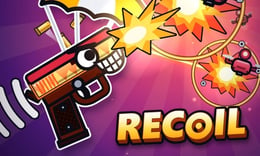


🎮 RECOILS
⭐ Crazy3D Editor’s Pick: Every shot is also a movement decision. RECOILS asks you to time a single firing input while a parachuting gun turns combat, ammunition and momentum into the same problem.
🔎 What is RECOILS?
RECOILS is a browser arcade shooter built around a gun hanging beneath a parachute. Shooting pushes the gun in the opposite direction, so attacking robots also changes your flight. Instead of separating movement from combat, the game makes you consider both whenever you fire.
The supplier describes an endless challenge with scoring combos and larger enemies farther into a run. Our hands-on check confirmed the opening tutorial, click-to-shoot behavior and a short normal run. It did not cover the entire tutorial, later bosses or long-term unlocks, so those features should not be confused with tested milestones.
🕹️ How a run works
- Allow the hosted player to load. If a supplier advertisement appears, use its normal continuation or available Skip control.
- Read the tutorial prompts, beginning with CLICK TO SHOOT, before firing repeatedly.
- Watch the gun’s direction and time your shot. The tutorial also displays CLICK WHEN IT TURNS RED, emphasizing a timing cue.
- In a normal run, shoot robots while accounting for the movement caused by each shot and the ammunition you spend.
- Watch distance, coins and combat feedback to understand what your actions achieved before starting another attempt.
In our test, a click used ammunition and changed the gun’s flight. We used the tutorial’s own Skip option to enter a normal run, where repeated clicks produced DOUBLE KILL +20, +10 and +2 AMMO feedback. The coin counter moved from 1 to 2 and the run reached a displayed 48 m. These are examples from one short session, not promised rewards or a target every beginner must hit.
🎯 Controls
| Action | Input |
|---|---|
| Fire, checked in the hosted version | Click |
| Alternative firing input listed by the supplier | Space |
| Mobile firing listed by the supplier | Tap |
| Movement | Recoil from firing; no separate movement key listed |
| Pause listed by the supplier | P |
| Skip the tutorial when offered | Click its on-screen Skip option |
Mouse clicking was checked on desktop. Space, touch and the pause shortcut come from the supplier’s instructions rather than a complete test on every device. Follow the current game prompts; do not assume WASD movement, manual mouse aiming or controller support.
🏆 Distance, ammunition and advertised progression
The opening run shows distance, a coin counter and ammunition-related feedback. A shot is therefore more than a way to increase a score: it also uses a resource and changes your position. The +2 AMMO message shows that ammunition can be gained during play, but our short test does not establish every refill condition.
The supplier’s page advertises bosses every 300 m and 44 collectible skins from Skin Crates. We did not reach those bosses, open crates or verify collection persistence. Check the current in-game menus for availability and requirements rather than treating the advertised collection as already unlocked.
✨ Four features that shape play
One input with two consequences
Firing attacks and pushes the gun. A shot that hits something can still place you poorly, so pay attention to the flight that follows rather than only the impact.
Timing instead of separate movement controls
The tutorial’s color prompt draws attention to when you click. Watch a short sequence before rapid firing so that changes in direction become easier to recognize.
Visible combo feedback
The tested run displayed a double-kill message with points. This gives immediate feedback on successful attacks, although a short combo does not guarantee that the next shot will be safe.
Ammunition as an immediate constraint
Shots consume ammunition, and refill feedback can appear during play. Keeping an eye on that information helps you avoid confusing an empty resource with an unresponsive input.
🧠 Five practical tips
- Start with separated clicks to see how each shot changes your flight before trying a faster rhythm.
- Watch the gun’s direction as well as the robot. The supplier explains that firing downward pushes you upward.
- Read the tutorial’s timing prompt rather than treating every click as interchangeable.
- Track ammunition alongside distance and coins. Each display answers a different question about the run.
- Change one habit on the next attempt. Comparing slow and rapid firing is more useful than changing everything at once.
📱 Desktop and mobile experience
A mouse and a clear view of the whole game area are a practical starting point. The supplier provides an 800 × 600 player, so keep the battlefield and counters visible rather than cropping the window closely around the gun.
Tap-to-shoot is listed for mobile, but a complete touch session has not been tested. Browser behavior and screen size may affect timing. Supplier-hosted advertising may appear before play; keep the normal advertisement controls intact and distinguish an advertisement’s Skip button from the game’s separate tutorial Skip option.
❓ Frequently asked questions
Is RECOILS free? The hosted browser game is available free on Crazy3D, with supplier advertising possible. We have not tested crate purchases or any payment flow.
How do I move? Fire to generate recoil. The supplier describes movement opposite to the shot direction, and our click test confirmed that firing changes flight.
Is the full progression verified? No. The checked portion includes tutorial prompts and a short normal run. Later bosses, skin collection, leaderboards and long-term progress remain unverified.
🔗 More games on Crazy3D
For a different shooting format, try Rivals FPS: Online Shooter. Defend a fixed position in Zombie Barrage, or explore another action choice in Zombie Rush. Browse New Games and the Crazy3D collection for more options.
▶️ Play RECOILS
Play RECOILS free on Crazy3D and learn how a better-timed shot can change both your aim and your next stretch of flight.


